


Table of Contents
As of March 31, 2026, resellers must use Amazon barcodes for all eligible FBA products, even when the item already has a UPC or EAN. If you are not enrolled in Amazon Brand Registry, the FNSKU is no longer optional. It is the barcode Amazon expects on every eligible unit you send in.
A lot of teams are about to learn this the hard way. A shipment arrives. Units get held. Check-in slows down. Inventory goes dark when you need it live. That’s not a marketing problem. That’s an ops failure.
If you’re running FBA at scale, this Amazon FNSKU labeling guide is your compliance playbook. The brands that scale cleanly build compliance into their Amazon growth strategy from the start.
Fix the process now, before your next inbound shipment becomes a warehouse problem.
15-minute diagnostic call. No pitch deck.
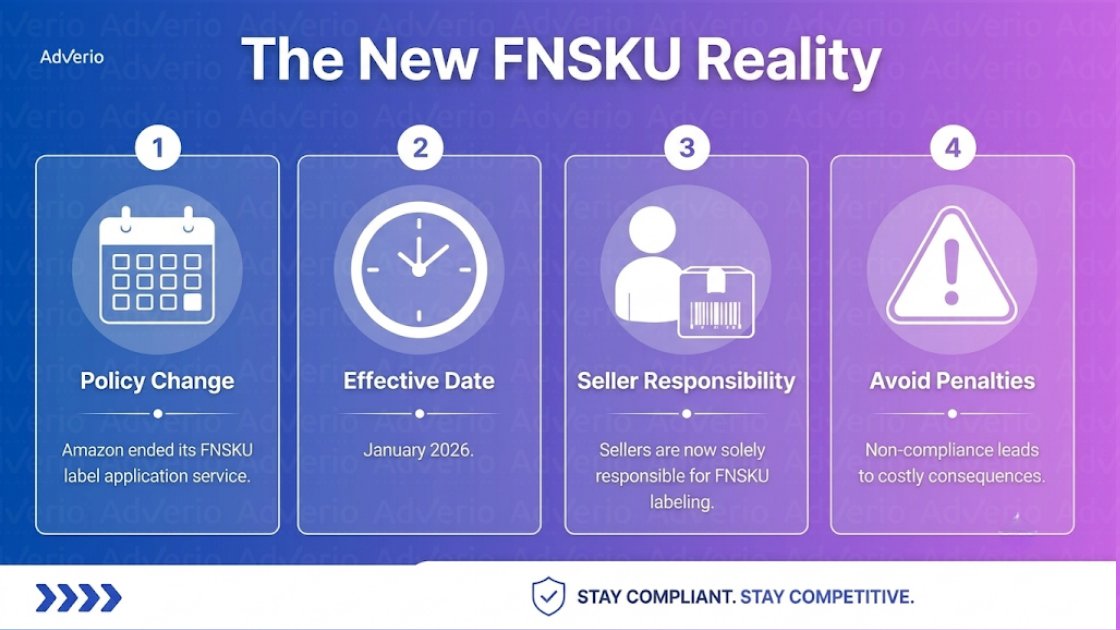
As of 2026, Amazon requires resellers and non-brand-owner sellers to apply Amazon FNSKU barcodes on all eligible FBA units, even when the product already carries a UPC or EAN. Brand-registered owners may still use manufacturer barcodes on eligible ASINs. Amazon no longer relabels units after receipt, so sellers must generate the FNSKU in Seller Central, print it on approved stock, cover any existing barcode, and verify scannability before the shipment leaves the supplier, prep center, or 3PL.
At a Glance: The New FNSKU Reality
A shipment lands next week with the wrong barcode setup. Amazon slows check-in, inventory sits unavailable, and your paid traffic keeps spending against stock customers cannot buy. No Amazon PPC management strategy survives stranded inventory, because you are paying for clicks on units no one can purchase. That is the full cost of treating FNSKU labeling like a small prep task.
-
This is now an inbound control issue: If you resell on Amazon FBA, barcode compliance starts before cartons leave your supplier, prep center, or warehouse.
-
Amazon removed the old fallback: You cannot rely on Amazon to clean this up after receipt. Your operation has to print, apply, and verify the right label before shipment.
-
Seller Central is your source of truth: Generate the FNSKU from the SKU record, export the label file, and keep that exact file inside your prep SOP.
-
Your current workflow is probably behind: If your instructions still assume inbound relabeling, manual exceptions, or last-minute fixes, update them now.
-
QA has to catch this early: Barcode scannability, correct unit-to-label matching, and consistent placement need a real checkpoint before inventory moves.
Definition: An FNSKU (Fulfillment Network Stock Keeping Unit) is the Amazon barcode that links one physical unit to your seller account inside FBA. It tells Amazon whose inventory it is receiving, not just what the product is.
Treat this like a packaging-line change, not a policy memo. The teams that stay in stock will be the ones that rewrote supplier instructions, tightened receiving QA, and made barcode checks part of release approval.
If your catalog team is already tightening strategies for compliant Amazon listings, apply that same discipline to prep and labeling. Bad listing compliance gets you suppressed. Bad barcode compliance gets your inventory stuck.
If this kind of ops work keeps pulling your team off growth, Adverio’s Amazon account management team handles these marketplace changes before they turn into delayed check-in, stranded units, and margin loss.
Practical rule: If a unit cannot be scanned cleanly and matched to your seller account, do not ship it.
15-minute diagnostic call. No pitch deck.
What Amazon Changed in January 2026
A shipment lands at Amazon. Your cartons are fine. Your quantities are fine. Check-in still stalls because the units are carrying the wrong barcode path for your seller type. That is the January 2026 shift in plain terms.
Amazon removed the fallback many sellers used to rely on. Resellers now have to send eligible units with Amazon barcodes, even when the product already has a UPC or EAN on the package. Brand owners with approved Brand Registry can still use manufacturer barcodes on eligible ASINs, but only if their catalog status and barcode setup are clean.
This split decides how your inbound operation runs.
| Seller type | Barcode path |
|---|---|
| Brand-registered owner | May use manufacturer barcode if eligible |
| Reseller or non-brand-owner seller | Must use Amazon barcode for eligible products |
If you are not the brand owner, stop treating labeling like a small prep detail. It is now a release requirement.
That means your cost structure changed too. Label stock, printer maintenance, labor time, exception handling, and rework need to be built into your full list of FBA costs. If those inputs are missing, your margin model is wrong.
The operational mistake to avoid is simple. Do not assume a manufacturer barcode gives you a usable inbound path. Verify the barcode path by seller type and ASIN eligibility before inventory leaves your supplier or 3PL. One bad assumption at PO stage turns into delayed receiving, relabeling work, and stockouts a week later.
What Is an FNSKU and Why It Matters
A carton lands at the fulfillment center on time, the ASN is clean, and your quantities match. Receiving still breaks because the unit barcode points to the wrong inventory path. That barcode decision happens at the unit level, and the FNSKU is the control point.
FNSKU stands for Fulfillment Network Stock Keeping Unit. It is the Amazon barcode that ties one physical unit to your seller account inside FBA. A UPC or EAN identifies the product itself. An FNSKU identifies whose inventory Amazon is receiving, storing, and shipping.
That distinction decides whether your units move cleanly through inbound or get kicked into exception handling.
For operators, the value is practical:
-
Ownership control: Amazon can assign the unit to your account without ambiguity.
-
Scan accuracy: The warehouse follows one barcode path during receiving and fulfillment.
-
Fewer inbound exceptions: Your team avoids relabeling work, delayed check-in, and preventable stockouts.
If you treat the FNSKU like a minor sticker, you will build weak SOPs around printing, QA, and supplier prep. That mistake gets expensive fast. One unreadable label, one covered UPC, or one mislabeled variation can hold inventory at the worst possible time.
The FNSKU is the unit identifier Amazon uses to decide where that item belongs in FBA. Your prep process needs to treat it that way.
By January 2026, this stopped being a background catalog detail for a large share of sellers. It became a warehouse execution issue. The teams that win here are the ones that standardize label generation, printing, placement, and final verification before inventory leaves the supplier, prep center, or 3PL.
How to Generate FNSKU Labels in Seller Central
This part should be boring. If it feels messy, your process is broken.
Use this path in Seller Central:
-
Go to Inventory
-
Open Manage All Inventory
-
Find the product you need to ship
-
Select the item
-
Open the menu next to the listing controls
-
Choose Print Item Labels
-
Enter the quantity of labels needed
-
Download the PDF
-
Print that file on your approved label stock
-
Apply one label to each unit

What to standardize internally
| Step | Owner |
|---|---|
| Label generation | Catalog or marketplace ops |
| PDF storage | Shared shipment folder |
| Printing | Warehouse, prep center, or supplier |
| Final verification | QA before carton close |
Pick your label format by volume. Sheet labels for low runs, thermal for high. The format matters less than the control behind it. Generate the file from Seller Central. Save it to the shipment record. Don’t let random partners build their own label versions from scratch.
15-minute diagnostic call. No pitch deck.
FNSKU Labeling Requirements Specifications and Placement
One bad label can stall an entire inbound shipment.
That risk got bigger in January 2026. Amazon no longer offers a labeling safety net, so your barcode quality and placement now decide whether units move into FBA inventory or sit in problem-solving.
Amazon requires FNSKU labels to use Code 128A and print in a format that scans cleanly on warehouse equipment. Keep the barcode height above 0.25 inches. Use a label size within Amazon’s required range: minimum 1 inch tall by 2 inches wide, up to a maximum of 2 inches tall by 3 inches wide. Leave 0.25 inches of white space on the left and right, and 0.125 inch on the top and bottom. Those specs are there to prevent scan failures, not to make your SOP longer.
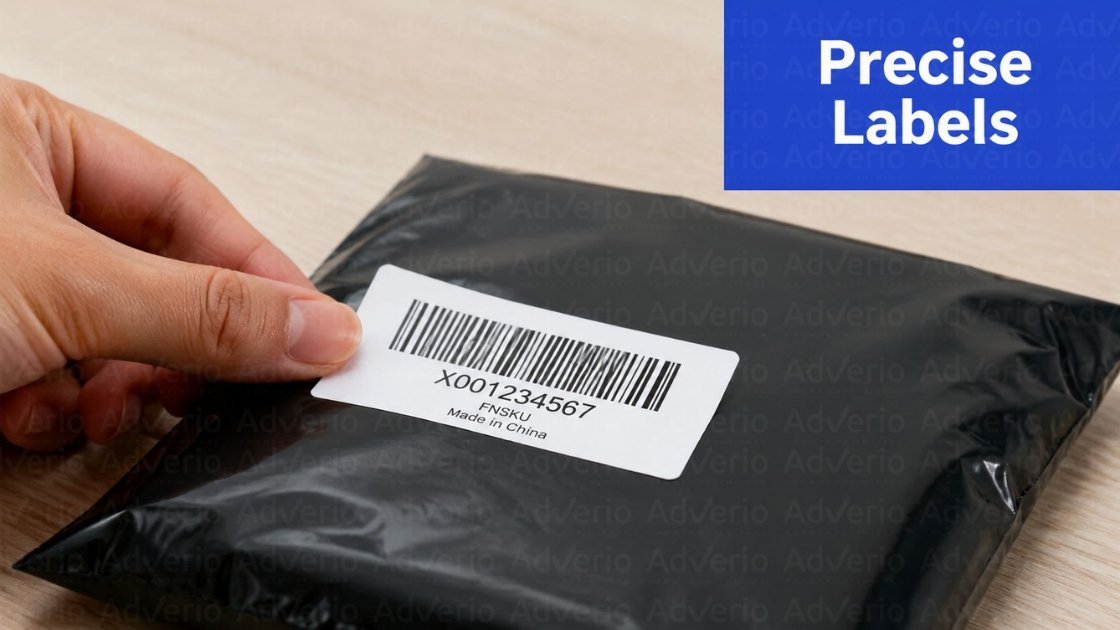
Mandatory requirements
-
Print sharp labels: Blurry output causes inbound delays. If your team needs a refresher on print quality, review this guide to 300 DPI for sellers.
-
Use the correct barcode format: FNSKU labels must follow the Code 128A requirement.
-
Protect the quiet zone: Do not crowd the barcode with text, graphics, or packaging edges.
-
Apply the label on a flat surface: Avoid seams, corners, folds, curves, and shrink-wrap wrinkles.
-
Cover every other scannable barcode: If a UPC, EAN, or old FNSKU is still exposed, Amazon can scan the wrong code and route the unit incorrectly.
Placement deserves more discipline than sellers usually give it. Put the label where a receiver can scan it in one pass without rotating the product three times. If your packaging has texture, gloss, or curvature, test the exact placement before the full run. Do not assume a supplier got it right because the sample looked clean in a photo.
If you run prep on thin margins, labeling accuracy is part of understanding Amazon preparation profitability. A misapplied FNSKU is not a small warehouse defect. It turns into labor cost, receiving delays, stranded inventory, and stockout risk.
How to Update Your Prep and Labeling Process
Your old SOP is dead if it assumed someone else would fix labeling downstream.
Build a simple pre-shipment process and assign ownership. Don’t leave this floating between supply chain, warehouse, and marketplace teams.
Your new SOP should answer four questions
-
Who generates the labels?
One owner. Usually marketplace ops. -
Who prints them?
Your warehouse, supplier, or prep center. Pick one accountable party. -
When are they applied?
Before final pack-out. Not after the master carton is taped. -
Who checks the work?
A QA step before goods leave the facility.
The checklist that actually matters
-
File control: Save the exact shipment PDF in a shared location
-
Printer control: Standardize hardware and label stock
-
Application control: Define exact placement by SKU or packaging type
-
Audit control: Spot check units before outbound release
For larger operations, routing this through shipping automation can reduce handoff errors, but software will not fix a vague SOP.
If your team is overwhelmed by too many external vendors touching the process, tighten standards for vetting Amazon service providers. The wrong prep partner can create expensive compliance noise fast.
Working With Suppliers and 3PLs on the New Requirement
If your supplier ships direct to FBA, they are now part of your compliance chain. Treat them that way.
Don’t send a casual email and assume they understand the change. Send a formal process update with exact files, exact placement instructions, and a clear approval step before inventory leaves their floor.
What your partner packet should include
| Required item | Why it matters |
|---|---|
| Shipment-specific label PDF | Prevents partner-generated mistakes |
| Placement guide by SKU | Removes guesswork |
| Packaging rules | Keeps labels visible and intact |
| Photo approval step | Catches errors before transit |
For 3PLs, ask direct questions. Have they updated their prep checklist? Are they checking barcode visibility? Are they handling apparel differently from boxed hardlines? If you’re comparing providers, pressure-test their process depth on barcode handling before you commit.
And don’t ignore the inventory impact. A bad inbound handoff can wreck replenishment timing. That’s why brands need a clear plan for how to stay in stock on Amazon, not just a label printer.
Common FNSKU Labeling Mistakes and How to Avoid Them
One bad label run can jam an inbound shipment, trigger manual receiving delays, and put your replenishment plan behind schedule. That risk is higher now because there is no Amazon labeling service to absorb sloppy prep.
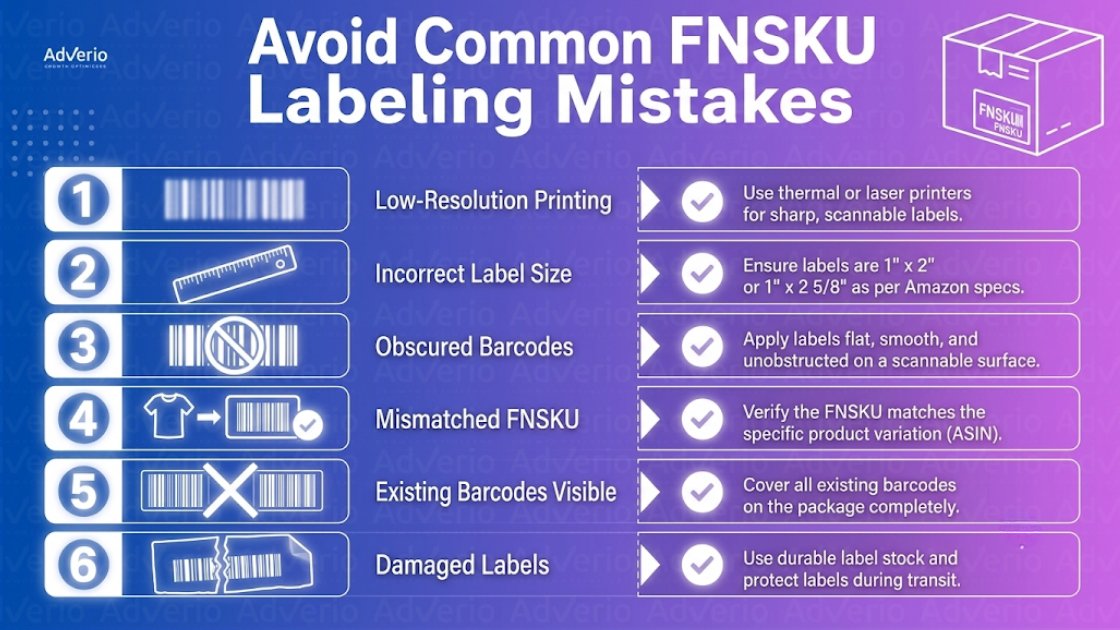
Six mistakes that keep showing up
-
Low print quality: Faded ink, poor contrast, and stretched barcodes fail at scan-in.
Fix: Lock down one approved printer setup, one label stock, and one scan test before any batch goes out. -
Visible original barcode: If the UPC or EAN is still readable, Amazon can scan the wrong code and route the unit incorrectly.
Fix: Fully cover any conflicting barcode every time. No partial covers. No exceptions. -
Wrong label for the item: A label-ASIN mismatch creates receiving errors, stranded inventory, and condition conflicts.
Fix: Match the label file to the exact SKU, variation, and condition before print. Then spot-check packed units, not just the PDF. -
Bad placement: Labels placed on seams, corners, curves, folds, or textured film peel off or scan poorly.
Fix: Use the flattest visible surface on the sellable unit or its outer prep layer. -
Weak adhesion: If the label lifts in transit, the unit arrives unscannable. At that point, your inventory is already in the problem queue.
Fix: Apply labels only to clean, dry packaging and use stock that holds through handling, compression, and temperature shifts. -
Softlines handled like hardlines: Apparel, bags, and other flexible items still get labeled as if they were boxes. That mistake causes a steady stream of avoidable exceptions.
Fix: Put the FNSKU on a stable outer surface such as a polybag or approved tag, and standardize placement by packaging type.
The pattern is simple. Teams fail when labeling is treated like a print task instead of a receiving-control task.
Operator tip: Build a reject log by SKU, packaging type, and prep partner. If the same mistake shows up twice, update the SOP the same day. That is how you stop repeat inbound failures before they turn into stockouts.
How Adverio Manages Labeling Compliance
For Adverio clients, policy shifts like this get built into supplier SOPs, prep workflows, and QA checkpoints before the first inbound shipment is affected. Barcode and unit-level compliance sits inside our large-catalog Amazon management, so FNSKU rules never stall receiving. We use systems like AMOS and our profit-first operating model to catch marketplace issues before they hit your margin. If your brand is stuck fighting compliance fires instead of scaling Amazon, Walmart, and Target profitably, that is fixable.
15-minute diagnostic call. No pitch deck.
Frequently Asked Questions
Do I still need an FNSKU if my product already has a UPC?
If you are a reseller or non-brand-owner seller for an eligible FBA product, yes. Amazon’s updated policy requires Amazon barcodes for those products, even when a manufacturer barcode is already on the packaging.
Can Brand Registry sellers skip FNSKU labels?
Some can. Brand owners with approved Amazon Brand Registry may continue using manufacturer barcodes when the ASINs are eligible under Amazon’s rules. You need to confirm that status before assuming you’re exempt.
Where should the FNSKU label go?
Place it on a flat, scannable surface where warehouse staff can access it easily. Don’t put it on seams, corners, curves, or any area where it can wrinkle, peel, or become unreadable.
What’s the most common labeling mistake?
Leaving another barcode visible is near the top of the list. If the UPC or EAN is still exposed, Amazon can scan the wrong barcode and create receiving issues.
What should apparel brands do differently?
Use a stable outer surface such as a polybag or approved tag placement that stays visible and scannable. Softlines need packaging-specific rules because fabric and folded presentation create more label risk than boxed goods.
Read Next
-
Amazon FBA reimbursement strategy