


Table of Contents
Most Amazon listing advice gets one thing wrong. It treats a product detail page like a copywriting project. It’s not. It’s a revenue asset sitting inside a shared catalog system. If your sales have stalled, your page probably is not performing well. It is leaking profit in places your team stopped noticing months ago.
A real Amazon product detail page audit does not ask whether the page looks good to you. It asks whether the page removes friction for a shopper fast enough to earn the order, and whether the catalog data is strong enough to support discovery in the first place. Skip that work, and buying more traffic just becomes an expensive way to measure failure.
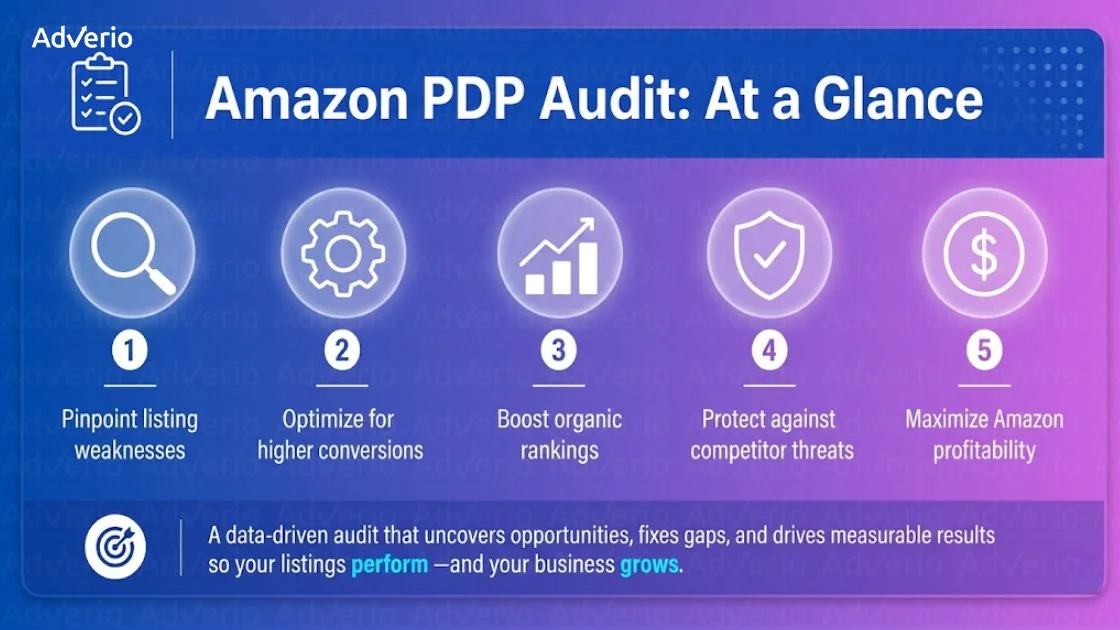
This checklist is built around one idea: every checkpoint maps to a specific conversion suppressor with a known fix sequence. That is different from a general listing audit. If you need a broader diagnostic covering keyword gaps, ranking drops, and off-page factors, that work lives in the Amazon listing audit guide. What follows here is the on-page suppressor checklist you run once you know traffic is reaching the page.
This is built for $3M to $100M brands where a stalled PDP is quietly costing six figures a quarter, not for first-time sellers tuning their first listing.
Quick Definition: Conversion Suppressor A specific element on a product detail page that quietly drags down conversion rate even when the page looks fine. Suppressors usually cluster, which is why fixing one bullet rarely moves the number. Fixing the cluster does.
Want a faster read on which suppressors are costing you the most margin right now?
Book a Profit ROI Forecast and get a diagnostic on your top ASINs before you touch another bid.
Why Ads Cannot Fix a Listing Problem
A weak listing does not need more traffic. It needs surgery.
When operators see rising spend and flat order volume, they usually blame bids, match types, or campaign structure. That is backward. More traffic into a broken PDP just gives you more evidence the page is leaking. A real Amazon product detail page audit fixes the leak before the spend scales. Amazon’s own structure makes this more serious than a simple creative issue. Amazon’s help documentation requires each product detail page to represent a single unique product, which means page audits are part compliance and part catalog integrity, not just merchandising polish.
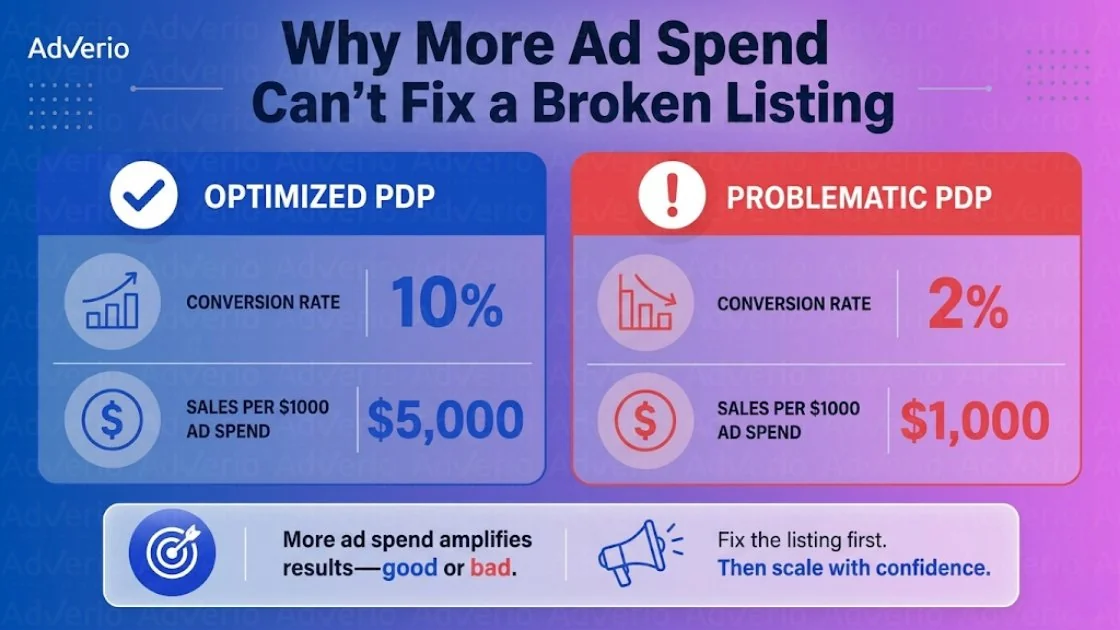
The math is simple. If your conversion rate is 6% and the category median is 12%, doubling ad spend doubles sessions but your order rate stays at 6%. You did not fix anything. You funded inefficiency.
That is why the listing of diagnoses comes before scale. Once the page converts, a disciplined Amazon PPC management system can scale traffic without burning margin on a leaky funnel. If your paid media team is still pushing budget into a page that is not carrying its weight, run the Amazon PPC audit after you finish this PDP review, not before.
More traffic does not heal a listing. It just makes the leak easier to see.
The 12-Point Amazon PDP Conversion Suppressor Checklist
A PDP audit is not a copy refresh. It is an asset inspection. The page either converts traffic into margin or it burns paid and organic demand that you already paid to earn.
Amazon Ads guidance states that stronger product pages for advertising should have multiple images, zoom-capable image size, clear bullets, and usable product information. Treat that as minimum compliance. It will not tell you why your conversion rate is stuck. This checklist goes deeper on the suppressor behind each element.
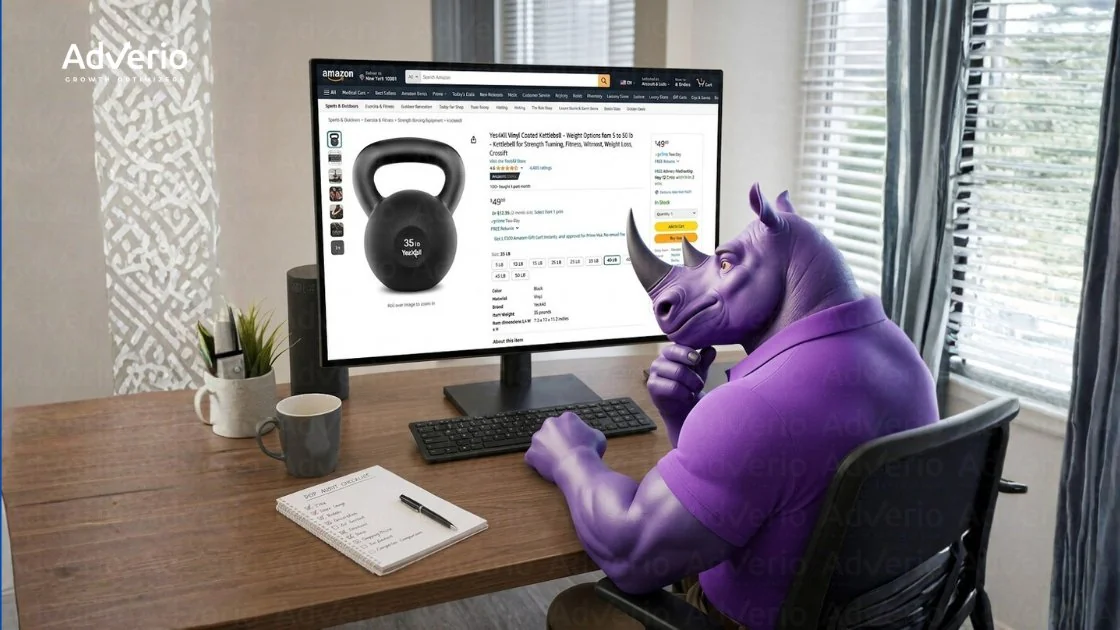
1. Hero image: does it communicate the product in under two seconds
Run the thumbnail test on mobile. If the shopper cannot identify the product instantly, the image is suppressing both clicks and conversions before anyone reads a word of copy.
The usual failures are predictable: weak contrast, bad crop, too much empty space, a perspective that hides shape, a product that blends into the white background instead of standing out on it.
Fix the image for recognition, not internal approval. Show the product clearly, front-load shape, and make sure the silhouette reads at search-result size. This is the highest-leverage fix in the checklist because it affects both CTR and conversion simultaneously.
2. Title: is the primary benefit in the first 80 characters
Mobile truncation decides whether your title works. Your brand team does not.
Lead with the category term and the strongest buying reason. Push repetitive branding, legal-safe filler, and low-value attributes later. If the title needs the second half to become clear, it is already underperforming in the search result before the shopper ever reaches the page.
A strong title tells the shopper what the item is and why this version deserves attention, fast.
3. Price: does it match the value perception the images create
Price is a claim. The page has to defend it.
If your offer sits above close substitutes, the PDP must show why. Better materials, better outcomes, better convenience, better bundle logic, better proof. If none of that is visible, the shopper reads your price as unjustified and clicks back to the search results.
You have two options. Improve the value story or change the offer. Hoping the customer will infer premium quality from a generic page is expensive wishful thinking.
4. Review count and star rating: is social proof sufficient
Weak social proof taxes every other element on the page. Everything else has to work harder when trust signals are thin.
Do not stop at the aggregate rating. Read the negative reviews and group the complaints by theme: quality issues, misleading size expectations, confusing setup, poor durability, packaging damage. Those patterns show you exactly which objections the page is failing to answer before the purchase decision.
Then use the page to pre-handle them. Sharper bullets. Better comparison images. Clearer fit guidance. Better expectation setting in A+ content.
5. Bullet points: do they answer the three decision questions
Bullets should do sales work. Many do catalog work instead.
Audit each bullet against three questions: what is this, who is it for, and why should I choose this one over the next option in search. If the bullets only list specs and generic claims, they are not helping the buying decision. They are filling space.
Rewrite for decision logic. Lead with the outcome or use case. Support it with proof. This is the same lens our Amazon listing optimization service runs every bullet through before it gets published. Cut empty adjectives and repeated phrases. The suppressor here is almost always bullets that serve the brand’s desire to describe rather than the shopper’s need to decide.
6. Secondary images: do they show scale, use, and differentiation
Secondary images should reduce uncertainty. If they repeat the hero image from six slightly different angles, they are wasting valuable real estate that directly influences conversion rate.
Each image slot needs a job. Show scale. Show the product in use. Explain the feature that changes the buying decision. Show the difference versus the common alternative. Clarify what is included in the package.
If two images do the same job, remove one. A clean, purposeful image sequence converts better than a visually polished but redundant carousel.
If a secondary image does not remove confusion or answer an objection, replace it.
7. A+ content: does it handle objections or just repeat the bullets
A+ content often looks polished and sells nothing.
The failure pattern is consistent: the same claims appear again with icons, banners, and lifestyle photography. That does not resolve hesitation. A+ should answer the questions that actually stop the sale. Think fit, quality, durability, usage scenarios, and the option differences your bullets skipped over.
Build modules around friction points, not brand preferences. If the shopper finishes A+ with the same uncertainty they had before, the content did not earn its placement. A+ content strategy covers how to build modules around real conversion suppressors rather than brand storytelling.
8. Variation architecture: can the shopper find the right option
Variation setup can destroy conversion even when the rest of the page is strong.
Check whether the child ASIN structure matches how people actually shop. Mixed themes, bad naming, messy pack logic, and irrelevant combinations create decision risk. Risk kills add-to-cart rate because shoppers do not want to guess which option is correct and face a return if they get it wrong.
Clean up labels. Split variation families that should not live together. Keep adjacent choices intuitive. The path to the right variant should feel obvious, not investigative.
9. Mobile rendering: does the listing convert on a phone
Audit on a real phone, not a desktop preview.
Look for text overlays that become unreadable at mobile size, cropped infographics, broken A+ flow, and variation selectors that force too much tapping to navigate. A page can look acceptable on desktop and still fail where most shoppers actually browse and buy.
Mobile clarity protects revenue. Tiny text and cramped modules do the opposite, and the suppressor here is invisible until you check it on the actual device.
10. Competitor comparison: does the listing win on the same shelf
Your benchmark is the search results page, not your internal brand standards.
Open the top organic competitors for your primary term and score them against the same 12 checkpoints. Compare image clarity, title usefulness, value signaling, review strength, variation logic, and mobile readability side by side. That comparison exposes the real suppressors faster than any internal review process.
Use this exercise alongside the Amazon listing quality check. The gap between your scores and the pages taking your clicks is your actual prioritized fix list, not an internal wishlist.
11. Keyword indexing: is the listing being found for the right searches
A page cannot convert traffic it never earns.
A keyword audit checks field coverage by priority: missing high-intent terms, weak placement of important phrases, and wasted space on low-value keywords. If the listing is not indexed where buyer intent is strongest, traffic ceilings will stay low no matter how strong the creative looks.
Check for missing coverage on the terms that drive your category’s conversion, not just the terms that drive impressions. The suppressor here is often invisible in performance data because the lost traffic never showed up to be measured.
12. LQS score: what does the machine layer see
Human review catches visual and messaging problems. It misses structural defects.
Field completeness, catalog consistency, and machine-readable quality signals influence discoverability and retail readiness at a level that visual audits cannot reach. A listing can look well-optimized to a brand manager and still underperform because the underlying structure is weak on dimensions the algorithm weights heavily.
Audit the machine layer directly. Use listing quality diagnostics to spot incomplete fields, mismatched attributes, and catalog issues that suppress performance without leaving obvious visual traces. The Amazon listing quality score guide covers what this layer measures and how to address defects in it.
How to Sequence the Fixes
Do not fix everything at once. That is how teams create churn, break what was working, and learn nothing from the changes they made.
Sequence your Amazon product detail page audit by conversion impact first, then by operational friction. Fix the defects most likely to suppress conversion fast, then work down the stack.
| Fix Priority | Checkpoint | Typical CVR Impact |
|---|---|---|
| High | Hero image | High |
| High | Review count and star rating when social proof is weak | High |
| High | Variation architecture when choice is confusing | High |
| Medium | Title | Medium |
| Medium | Price and value story | Medium |
| Medium | Bullet points | Medium |
| Medium | Mobile rendering | Medium |
| Low to Medium | Secondary images | Low to Medium |
| Low to Medium | A+ content | Low to Medium |
| Low to Medium | Competitor comparison baseline | Low to Medium |
| Low to Medium | Keyword indexing | Low to Medium |
| Low to Medium | LQS and machine layer | Low to Medium |
Before running this checklist on your own listing, run it on the top three organic competitors in your category. Score them on the same 12 points. The gaps between their scores and yours are your prioritized fix list.
If your team needs a sharper sequence for what to change first, the Amazon Fix This Next framework forces prioritization instead of letting every stakeholder push their preferred edit. Run this checklist first to identify the suppressors, then use that framework to sequence the fixes.
How Adverio Runs a PDP Audit
Manual review catches shopper friction. Large catalogs need more than that.

Adverio runs every Amazon product detail page audit with a dual lens: human review for conversion suppressors, and machine-layer diagnostics for listing quality, indexing strength, and structural defects that do not show up in a visual pass. The conversion suppressor checklist above is one input. The machine layer runs in parallel to catch what visual review misses.
If you want the full scope before a forecast call, review the Amazon audit inclusions. If you are ready to run the diagnostic on your account, start here.
FAQs
How often should I run a PDP audit?
Run a full 12-point audit quarterly on your priority ASINs. Run lighter checks on hero image, price, and reviews more often. High-volume listings deserve tighter oversight because small defects cost more there where traffic is highest.
Can a good PDP audit fix a bad product?
No. A better page improves how you communicate value. It does not create value that is not there. If reviews keep exposing a product flaw, the product problem sits upstream of the listing and the page cannot fix it.
What is the biggest mistake brands make after an audit?
They change too many elements at once and track nothing. Each fix needs observation time after launch. If you cannot tie a specific edit to movement in sessions, conversion rate, or order behavior, you do not know what worked and cannot replicate it.
My listing quality looks strong but sales are still soft. Why?
That usually means the constraint sits outside the page. Pricing, inventory health, competitor positioning, or weak ad execution can drag performance even when the PDP passes all 12 checkpoints. Run the inventory and offer check before blaming the listing. The broader listing audit covers the off-page factors that this checklist does not.
Is this different from Amazon conversion rate optimization?
Yes. This 12-point checklist is the diagnostic step. It identifies the specific conversion suppressors present on a page. The ongoing process of testing, iterating, and improving those elements over time is covered in the Amazon conversion rate optimization guide.
Your listing either contributes to margin or drains it. A disciplined Amazon product detail page audit identifies the exact defects suppressing visibility, conversion, and profit. Adverio runs that diagnostic for brands stuck at flat growth.
If Amazon growth has stalled, book the Profit ROI Forecast and get a clear read on what is holding the business back before you spend through another month of avoidable waste.