


Table of Contents
Amazon moved AI shopping closer to the buy decision. Operators who understand that will keep share. Operators who treat this like a naming change will lose ground.
If you already invested in Rufus-era listing work, that work still counts. The underlying discipline did not reset. What changed is the standard your listing has to meet inside the shopping journey.
Amazon’s own documentation says Alexa for Shopping can help US customers compare products, explain product details, surface review context, and show an item’s 30-day, 90-day, or 365-day price history directly in Amazon.com and the Amazon Shopping app. Your listing now has to support product discovery, comparison, and conversion inside one assistant-led flow.
That is a tighter operating environment.
Alexa for Shopping Amazon listing optimization now means building listings the assistant can parse fast, trust, and use in live buying situations. Search visibility still matters. Decision support matters more.
For the broader shift in answer-engine behavior, Amazon’s own Alexa for Shopping documentation is the most direct reference. Apply that standard to Amazon, where the assistant sits inside the transaction path, not on the sidelines.
If you need the full Rufus-era optimization playbook covering semantic coverage, backend attributes, Q&A depth, and catalog structure, that lives in the Amazon Rufus AI optimization guide.
What this article covers is the specific delta: what changed on May 13, 2026, what stayed the same, and the three areas that need immediate review because of how Alexa for Shopping differs from Rufus.
Want to see where your listings are leaking eligibility under Alexa for Shopping?
Alexa for Shopping vs Rufus What Amazon’s AI Search Change Means for Your Listings Right Now
At a Glance
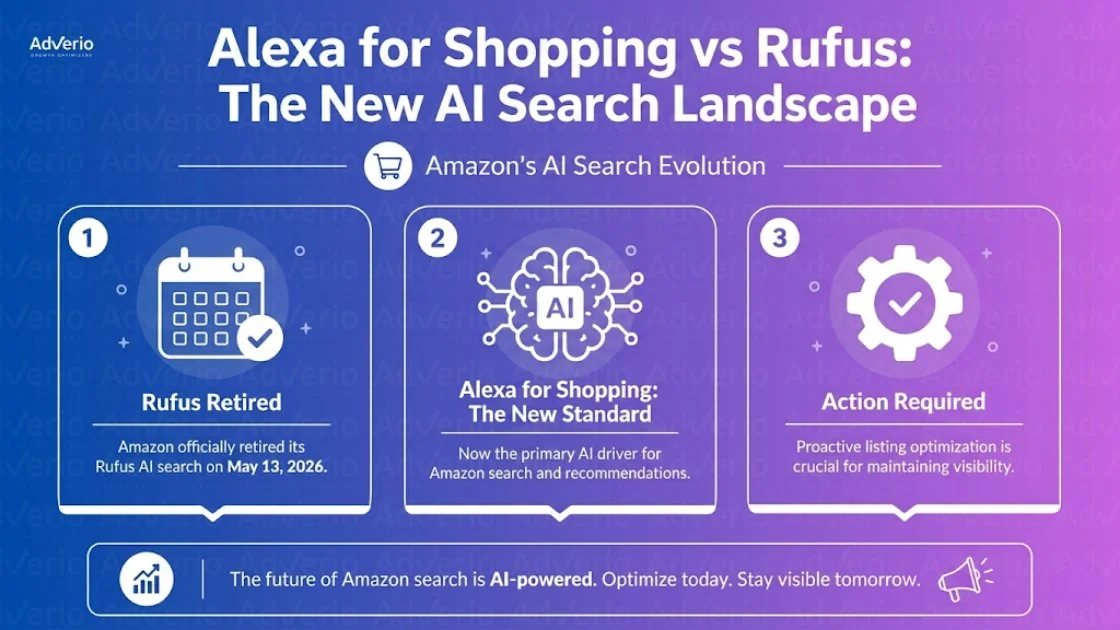
- Amazon replaced Rufus with Alexa for Shopping on May 13, 2026.
- Your Rufus optimization work still matters. The core listing logic did not reset.
- Three areas need immediate review: personalization context, spoken-query formatting, and coverage across more content surfaces.
- Price integrity matters more now. Alexa for Shopping can surface up to 365 days of price history inside the shopping journey, according to Amazon’s official documentation (aboutamazon.com). Listings built only for keyword capture will lose ground to listings the assistant can classify, compare, and recommend with confidence.
Get My Profit ROI Forecast. Fifteen-minute diagnostic. No pitch deck.
Alexa for Shopping vs Rufus What Amazon’s AI Search Change Means for Your Listings Right Now
Amazon did not wipe the board clean. It raised the bar for listings that want to win inside an assistant-led shopping flow.
The same thing happens off Amazon. When ChatGPT changed how it searches the web in August 2026, Reddit’s share of its citations fell by about 86% within days. Mike Danford told E-Commerce Times what that means for any brand counting on an assistant to name it.
Rufus trained brands to optimize for AI-assisted product discovery. Alexa for Shopping extends that same operating model deeper into the purchase path. The assistant is now expected to recommend products, compare options, answer product questions, surface review context, and support actions tied to buying behavior. Your listing has to support that entire decision sequence, not just earn retrieval.
That shift matters because it changes what “good enough” looks like. A listing built to rank on keywords can still get surfaced. It will struggle when the assistant needs clean evidence for comparison, objections, product fit, and price credibility.
If you need the full baseline playbook, it lives in the Amazon Rufus AI optimization guide. The core listing principles covered there still apply. This article picks up where that one ends.
What happened on May 13 2026
Amazon replaced Rufus with Alexa for Shopping. Treat that as a platform evolution, not a reason to scrap prior work.
The teams that did the Rufus work correctly are ahead right now. They already improved semantic coverage, product detail quality, and question-answer readiness. What changes now is the precision required across the full shopping journey.
The old failure mode was optimizing for search retrieval alone. The new failure mode is assuming a more conversational assistant will compensate for weak listing structure. It will not.
Practical rule: If your listing cannot support a comparison, answer a shopper question clearly, and hold up under visible price-history context, it is not ready for Alexa for Shopping.
Why this matters right now
Alexa for Shopping puts more pressure on listings to perform four jobs at once. Discovery is only the first one.
| Listing job | What Alexa for Shopping needs |
|---|---|
| Discovery | Clear semantic relevance |
| Classification | Complete attributes and backend data |
| Comparison | Strong detail coverage and clean variant logic |
| Decision support | Review signals, Q&A depth, and price consistency |
That is the key update. Precision beats panic.
Brands that already invested in Rufus-era optimization are not starting over. They are tightening the parts of the listing that help the assistant explain, compare, and justify a recommendation with confidence. That is the standard now.
Get My Profit ROI Forecast. Fifteen-minute diagnostic. No pitch deck.
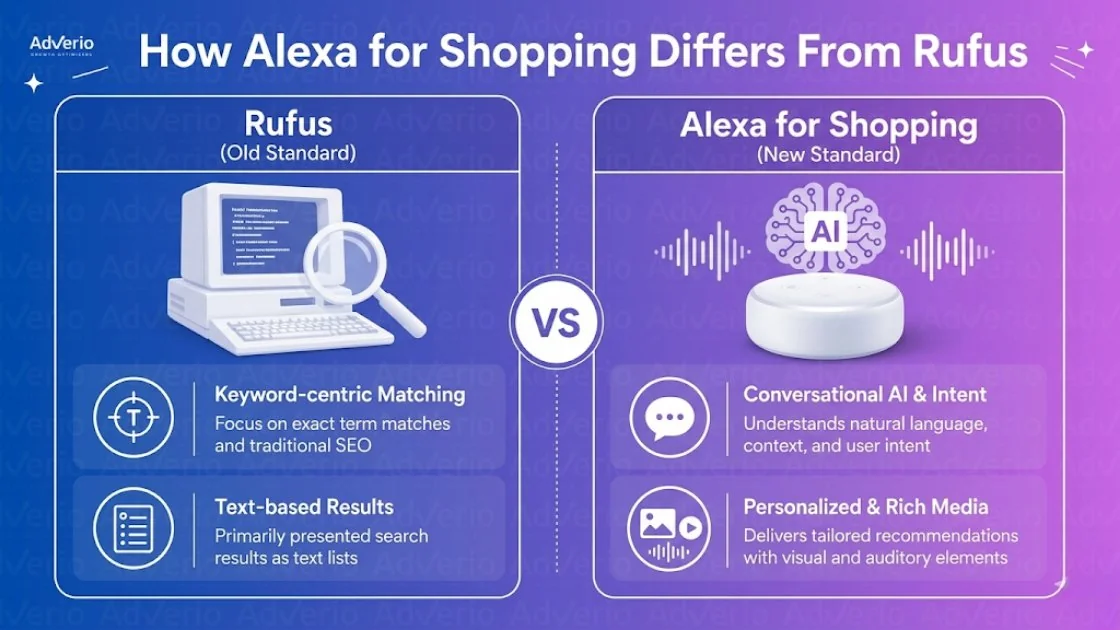
How Alexa for Shopping Differs From Rufus
The smartest move here is not overreacting. Keep what still works. Update what changed.
What stayed the same
The core listing principles still hold. Semantic relevance still matters. Use-case coverage still matters. Backend fields still matter. Q&A still matters. Natural language still beats robotic keyword stacking when the assistant is trying to interpret shopper intent.
If your team already improved bullets, filled in missing attributes, expanded Q&A, and cleaned up backend fields during the Rufus phase, that work still compounds. Keep it.
What Changed: The Personalization Layer
This is a significant shift. Alexa for Shopping operates inside a more personalized shopping context.
Alexa for Shopping reads all seven controllable listing surfaces: title, bullets, description, backend attributes, images, A+ Content, and front-end Q&A and reviews. Even when your keywords are relevant, weak creative context or missing structured data can reduce eligibility because the assistant is making inferences in a personalization environment you cannot see.
Audience-fit is no longer optional. You need content that helps the assistant understand who the product is for, not just what it is called.
What Changed: The Surface Area
Brands often treat this like a copywriting problem. That’s too small. The bigger issue is machine readability.
If a listing lacks structured attributes like size, material, or use case, the assistant can fail to classify the product correctly. Great copy will not save that. The assistant cannot place the item in the right recommendation set without clean catalog data behind it. That is why Alexa for Shopping listing optimization is now a catalog-data discipline as much as a messaging discipline.
Your listing is no longer just a sales page. It’s source material for retrieval, comparison, and recommendation.
The Listing Optimization Principles That Still Apply
Brands frequently waste time. They throw out the old work because the interface has changed. Bad move.
The right play is to keep the proven foundations and tighten execution.
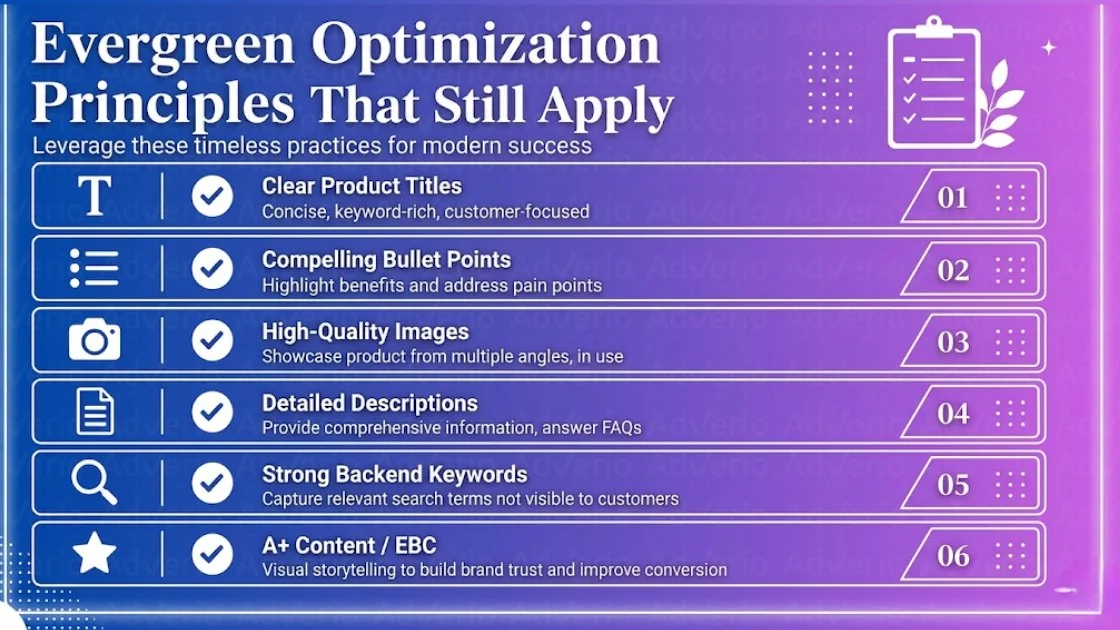
If you’re asking whether you’ve really optimized my listings on Amazon, start with these four.
Use-case framing in bullets
Stop writing bullets like a spec sheet. Write them like answers to real shopping intent.
The assistant isn’t just looking for nouns. It’s trying to connect the product to a problem, a context, and a shopper scenario. So your bullets should frame use cases directly. “Fits narrow entryways.” “Works for sensitive skin routines.” “Built for weekend travel.” “Designed for layered cold-weather wear.” Those are classification signals and conversion signals at the same time.
What to do:
- Lead with the use case. Don’t bury it after materials and dimensions.
- Keep one benefit per bullet. Mixed bullets weaken clarity.
- Name the context. Home office, travel, gifting, outdoor use, meal prep, pet safety. Be explicit.
Q&A completeness
Q&A is underused because it is often treated like housekeeping. It isn’t. It’s training data for shopper objections.
A strong Q&A set handles the questions your bullets can’t answer cleanly. Fit. compatibility. care. setup. safety. refill cadence. size expectations. return-risk concerns. If the assistant can’t find the answer in your listing surfaces, another ASIN becomes easier to recommend.
Build Q&A around real friction points:
- Pre-purchase concerns such as fit, compatibility, dimensions, and materials
- Use-stage concerns such as setup, maintenance, durability, and storage
- Comparison concerns such as who this is best for and when to choose one variant over another
Operator move: Pull recurring objections from reviews, customer service tickets, and PDP questions. Then answer them on-page before the assistant has to guess.
Backend attribute fill rate
Catalog sloppiness is expensive.
Amazon allows up to 250 bytes in the Search Terms backend field. Note that bytes, not characters, are the correct unit. Exceeding the limit by even one byte causes Amazon to ignore the entire field. Use keywords not already in your title, skip commas, and leave out prohibited terms. Use them cleanly: no duplicates, no commas, no prohibited terms. On the front end, put the primary keyword within the first 80 characters of the title and keep most titles under 200 characters. Rewrite copy around conversational intent while completing product metadata thoroughly. These two things compound each other. Neither works well without the other.
Your backend work should be disciplined:
- Fill structured fields completely for size, material, quantity, compatibility, scent, flavor, use case, and pack details where relevant
- Use backend characters cleanly with no duplicates or prohibited terms
- Align title structure so the primary term appears early and the rest supports classification
Natural language over keyword stacking
Keyword coverage still matters for legacy search. But stuffed copy is a drag on AI interpretation.
The better standard is semantic clarity. Amazon’s own Rufus and Alexa documentation makes the same point: the assistant is trying to understand what the product does, not just match a string. That doesn’t mean abandon keywords. It means stop sacrificing readability to chase them.
Use sentence-case bullets. Use normal syntax. Name the product, the use case, and the outcome. Then support that with complete attributes and clean backend fields.
What Needs to Be Updated for Alexa for Shopping
Speed matters here. Alexa for Shopping changes how Amazon assembles and recommends products, but it does not erase the work you already did for Rufus. It raises the standard for precision.
Personalization signals and how Alexa reads purchase history
Alexa for Shopping operates inside a personalized recommendation layer. Your job is to give it sharper signals.
Write for repeat purchase patterns, household context, and buyer type. If you sell consumables, spell out refill cadence, pack logic, and who uses the product. If you sell durable goods, state the environment, intended user, and compatibility in plain language. Generic bullets force the assistant to guess. Specific bullets give it a clean match.
This is the update operators miss. Rufus optimization focused heavily on product understanding. Alexa for Shopping adds more weight to who the product fits and when it gets bought again.
Voice query formatting and how Alexa for Shopping handles spoken queries
Voice queries arrive as full questions, partial comparisons, and messy intent signals. Your listing needs answer-shaped copy.
Build Q&A around the way customers ask. Can I use this every day? Will this fit a small apartment? Is this safe for sensitive skin? Then tighten bullets so each one resolves a likely buying question in one clean sentence. If your image text is cluttered or vague, fix that too. Alexa needs fast comparison cues, and shoppers do too.
The Alexa for Shopping full-listing model
Alexa for Shopping reads the whole listing package, not just the obvious fields. That includes titles, bullets, descriptions, A+ content, images, reviews, Q&A, and backend inputs. If one layer is weak, the assistant has less confidence in the recommendation.
Update your listings with a four-part review. Tighten semantic clarity on the page. Expand Q&A to cover objections and use cases. Clean up backend eligibility signals. Sharpen audience fit across copy and creative. That is the practical shift from Rufus to Alexa. Same foundation. Higher bar for consistency across every controllable surface.
Start with backend cleanup if your catalog has not been reviewed recently. Amazon backend keyword strategies now affect how cleanly the assistant can classify and surface the product, not just whether it indexes.
If your backend, A+, and Q&A have not been audited against the new agent layer, the gap compounds every day. Get My Profit ROI Forecast and see which ASINs are most exposed.
How to Audit Your Listings Against the New Standard
You do not need another vague “best practices” list. You need a scorecard.

Use this five-point pass across priority ASINs.
For deeper PDP diagnostics that cover both the human layer and the machine layer, the LQS vs AACR dual scoring guide gives you a complete diagnostic framework.
- Check use-case coverage in reviews. Scan top reviews and identify whether multiple distinct use cases keep appearing. If they do, your bullets and Q&A should reflect them.
- Check Q&A completeness. Thin Q&A usually means the assistant has weak material for objection handling.
- Check backend attribute completion. Missing fields break classification. Fix them before rewriting front-end copy.
- Check bullet language. Each bullet should carry one benefit, one use context, and clear sentence structure.
- Check price and variant logic. Alexa for Shopping can surface historical price context, so messy pricing and confusing variant architecture are now more visible.
For deeper PDP diagnostics, use Adverio’s Amazon audit guide.
How Adverio Is Updating Listing Strategy for Alexa for Shopping
Teams that treat this like a naming change will move slowly. Teams that treat it like a catalog-readability update will gain ground.
One practical option is to run listing audits against both traditional search signals and AI assistant signals, then map gaps across semantic coverage, creative context, backend eligibility, and audience-fit. That’s the logic behind the COSMO Framework, and it fits the Alexa for Shopping environment because the assistant is evaluating listings as machine-readable decision assets, not just indexed pages.
Book Your Profit ROI Forecast if you want a catalog-level read on where Alexa for Shopping is most likely to surface or skip your listings.
FAQs
Should I rewrite every listing because Amazon replaced Rufus with Alexa for Shopping?
No. Start with your highest-impact ASINs. The core principles still apply. Fix missing attributes, weak Q&A, unclear bullets, and incomplete creative context first.
Do backend keywords still matter in Alexa for Shopping Amazon listing optimization?
Yes. Backend eligibility still matters. Clean, complete backend fields help classification, especially when front-end copy alone doesn’t provide enough detail.
How should I measure success if Amazon doesn’t give clear Alexa ROI benchmarks?
Measurement is still the weak spot. Amazon has not published standard benchmarks for Alexa for Shopping ROI. The practical move is to watch visibility, conversion behavior, review quality, price integrity, and variant performance together instead of looking for one Alexa-specific KPI.
Does Alexa for Shopping change the importance of pricing?
Yes, price consistency matters more because shoppers can see historical pricing in the assistant journey, not only on the product detail page.
Is this mainly a copywriting project?
No. Copy matters, but machine-readable catalog data matters just as much. If structured attributes are incomplete, strong copy can still lose eligibility.
Read Next
The next move is operational, not theoretical. If you want to sharpen execution after this update, focus on frameworks that improve decision-making inside the listing, not recycled explanations of how Amazon AI works.
Read the LQS vs AACR dual scoring system if you need a clearer way to evaluate listing quality against conversion risk and retrieval strength.
Then get to work.
Your catalog needs tighter classification signals, cleaner variant logic, stronger attribute coverage, and copy that helps Amazon surface the right ASIN in the right shopping moment. Brands that treat Alexa for Shopping like a fresh layer on top of Rufus work will move faster than brands that start over.
If your catalog is large, variants are messy, or growth has stalled, Adverio can help you prioritize the fixes that improve visibility and profit. Get My Profit ROI Forecast and get a roadmap built for the listings that matter most.