


Table of Contents
Let’s be blunt: if your Amazon product photography isn’t engineered to convert, it’s actively killing your revenue—no matter how much you spend on ads. There’s no in-between.
On a marketplace where customers can’t touch, feel, or test your product, images aren’t just “content.” They are your entire sales pitch. Get this wrong, and you’re not just looking unprofessional—you’re actively handing sales to your competition.
This isn’t about aesthetics. It’s about turning your product images into a conversion system that lifts CVR, lowers CAC, and drives incremental revenue. It’s a playbook for growth-minded founders and marketers who understand that every image is a direct response asset designed to do one thing: drive sales.
This guide is built for mid- to enterprise-level Amazon brands already generating revenue—but stuck with flat conversion rates, rising CAC, or underperforming listings.
At a Glance
• High-converting images can lift CVR by up to 30%
• Main image = CTR driver | Secondary images = conversion engine
• Lifestyle + infographics + comparison charts = full-funnel storytelling
• Poor visuals increase returns, CAC, and wasted ad spend
Why Your “Good Enough” Amazon Photos Are Costing You a Fortune
Customers don’t “consider” your product—they scan, judge, and move on in seconds. You land on a listing with blurry, poorly lit, or uninspired photos. What’s your next move? You hit the back button.
Your customers are wired the same way. They make snap judgments about your brand’s quality, trustworthiness, and value in milliseconds, based almost entirely on your images. This isn’t theory; This isn’t theory; it’s conversion optimization 101—and it starts with conversion-focused Amazon listing optimization. Your photos must bridge the gap between a digital listing and a real-world product, creating desire and building the confidence needed to click “Add to Cart.”
The Real Cost of “Good Enough”
Settling for ‘good enough’ is a direct path to eroding your margins. The performance gap is measurable—and it shows up directly in your conversion rate: high-quality visuals have a direct, measurable impact on the metrics that drive growth.
Listings with professional, high-resolution images can see conversion rates jump by as much as 30%. Even more telling, a staggering 75% of shoppers admit they’re unlikely to complete a purchase if the product photos are unprofessional.
Every day you run mediocre visuals, you’re leaking revenue to competitors with stronger PDPs—you’re handing it directly to competitors with a stronger visual game.
Your images are not an expense; they’re a high-ROI investment. The question isn’t whether you can afford professional Amazon product photography. It’s whether you can afford not to.
Connecting Visuals to Your Growth Flywheel
So how do superior images actually fuel growth on Amazon? It’s the foundation of conversion rate optimization strategies for Amazon brands. It’s a clear cause-and-effect relationship that impacts every stage of your funnel.
-
Higher Click-Through Rates (CTR): Your main image is your ad creative in Amazon’s search results—and a critical lever within Amazon PPC management strategies. A crisp, compelling shot earns the click over a competitor’s, driving more qualified traffic to your page.
-
Increased Conversion Rates: Once on your page, a full suite of lifestyle shots, infographics, and detailed close-ups answers questions, overcomes objections, and turns browsers into buyers.
-
Improved Brand Perception: Premium photography communicates a premium brand. It builds the trust required for a customer to enter their credit card details without a second thought.
-
Reduced Return Rates: When photos accurately and clearly show the product’s size, features, and use cases, customers know exactly what they’re getting. This alignment of expectation and reality is key to minimizing costly returns.
The impact of photography isn’t just about aesthetics. It’s about tangible business outcomes.
Here’s where most brands get it wrong:
Even the best images won’t fix a broken offer.
If your pricing, reviews, or inventory are weak, visuals can only do so much.
Conversion happens when offer + merchandising + traffic are aligned.
The table below breaks down the real-world difference between cutting corners and investing in quality.
The ROI of Professional vs Amateur Photography
| Metric | Impact of Professional Photography | Impact of Amateur Photography |
|---|---|---|
| Conversion Rate | Significantly higher; builds trust and desire. | Lower; creates doubt and friction. |
| Click-Through Rate | Higher; main image stands out in search. | Lower; gets lost among competitors. |
| Brand Perception | Premium, trustworthy, and high-quality. | Cheap, untrustworthy, and low-quality. |
| Return Rate | Lower; sets accurate customer expectations. | Higher; leads to “not as described” returns. |
| Price Elasticity | Can support higher price points. | Forces price competition and margin erosion. |
Ultimately, a failure on the visual front creates a domino effect of poor performance. If your current visuals just aren’t cutting it, consider how new formats can help, like using AI-generated UGC product videos for e-commerce sales.
The bottom line is simple: to grow on Amazon, you must first win the visual battle. For a deeper dive into the specific rules you need to follow, check out our complete guide on Amazon product image requirements.
Nailing the Main Image to Stop the Scroll
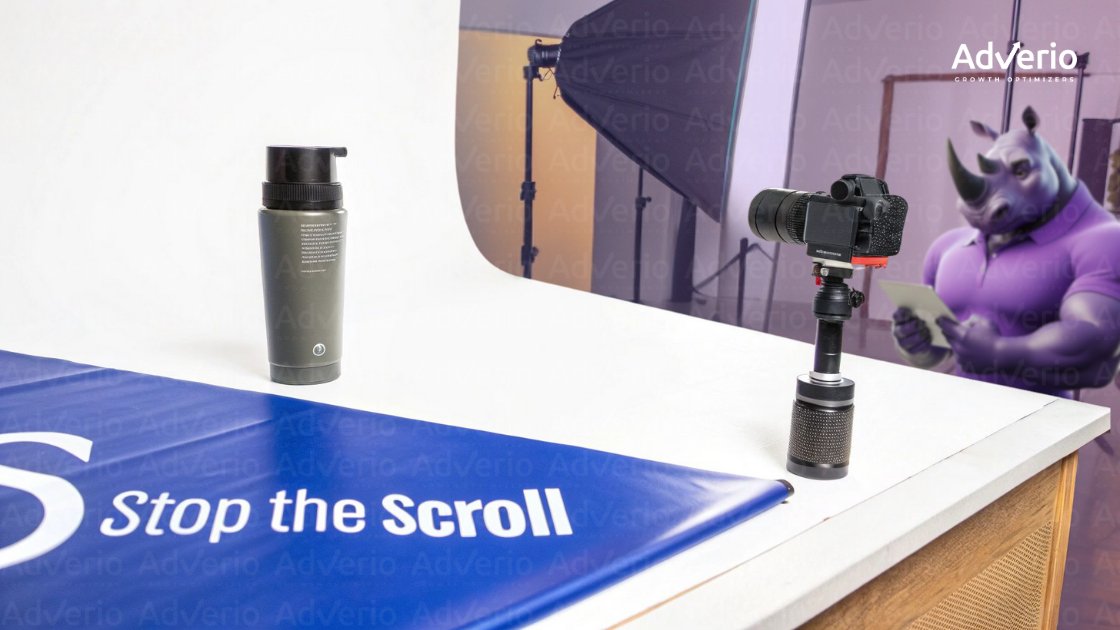
Think of your main image as your digital handshake. In the endless scroll of Amazon search results, it’s the one shot you have to earn the click. You have less than a second to make it count.
This isn’t just a picture. It’s your ad creative, your first impression, and the single biggest lever you can pull to influence your click-through rate (CTR). Get it right, you drive qualified traffic. Get it wrong, and you might as well be invisible.
Amazon’s rules for the main image are strict for a reason: they are a blueprint for what converts.
Mastering the Technical Non-Negotiables
Before you think about creative angles, you have to satisfy the algorithm. Amazon has a list of technical requirements that are absolutely non-negotiable. Ignore them, and your listing gets suppressed.
Let’s get these fundamentals locked in.
-
Pure White Background: This is the golden rule. The background must be pure white (RGB 255, 255, 255). No off-white, no light gray, no exceptions.
-
Pixel Dimensions: Your images need to be at least 1,600 pixels on the longest side. This is the key to unlocking Amazon’s zoom feature, which shoppers use constantly.
-
Product Occupancy: The product itself should fill at least 85% of the image frame. This makes your product the hero, eliminating distracting empty space.
-
File Format: Stick with JPEG, TIFF, or PNG. JPEG offers the best balance of image quality and file size for fast page loads.
These rules create a clean, consistent shopping experience, and Amazon rewards sellers who play by them.
The Art of a High-Converting Composition
With the technical boxes checked, let’s get to the art. How do you take a product on a sterile white background and make it pop off the screen? By communicating quality and value at a glance.
It all comes down to composition and lighting.
Is your product sleek and modern? A clean, straight-on shot conveys that. Is it rugged and durable? Try a slightly lower angle to give it a more heroic stance. The goal is to find an angle that’s both flattering and informative.
The best main images don’t just show the product; they instantly communicate its core value. A premium water bottle shot with crisp reflections signals a high-end finish. A kid’s toy needs bright, even lighting to look friendly and safe.
Watch out for the common mistakes that scream “amateur.” Harsh, distracting shadows make a great product look cheap. Use soft, diffused light to create gentle shadows that define the product’s shape without being overwhelming.
Testing Your Way to a Winning Image
This is where growth-minded sellers separate themselves from the pack. Never assume your first shot is your best one. The only way to know what truly resonates with shoppers is to test it.
Split testing different main images—even with subtle tweaks to the angle or lighting—can uncover surprising insights and lead to huge lifts in CTR and sales. It’s why understanding the art of split testing is crucial for driving big results on Amazon is a game-changer.
Your main image isn’t a “set it and forget it” asset. Treat it like the top of your conversion funnel, and constantly iterate to find the version that stops the most scrolls.
Telling a Compelling Story with Secondary Images
So, you got the click. A shopper landed on your page. Now the real work begins.
Your secondary images are where you graduate from a simple product shot to a powerful visual sales pitch. This is your chance to close the deal. The goal is to build a complete visual narrative that answers every question, handles every objection, and builds enough trust to make that ‘Add to Cart’ click inevitable.
Bring Your Product to Life with Lifestyle Photos
The biggest hurdle in eCommerce is that customers can’t physically hold your product. Lifestyle photos are your best tool to bridge that gap—and a core part of lifestyle product photography for Amazon conversion. By placing your product in a real-world context, you help customers see it in their own lives.
Show someone happily using your kitchen gadget, your skincare product on a beautiful vanity, or your outdoor gear on a scenic trail. These images connect on an emotional level, moving past features to showcase the outcome the customer truly wants. It’s a critical piece of using emotional storytelling to build your eCommerce brand.
The impact is massive. Data shows 65% of shoppers prefer visuals that depict products in real-life contexts. And brands that master this see up to a 20% jump in CTR. You can get more insights on how lifestyle imagery boosts Amazon sales on accio.com.
Communicate Benefits Instantly with Infographics
Let’s be honest: most shoppers don’t read your bullet points. They scan. Infographics are your secret weapon for delivering key benefits and specs in a format they can digest in seconds—when done right using Amazon product infographic best practices.
Use clean icons, bold text, and clear callouts to highlight your product’s most important features. This is the perfect spot to show off dimensions, materials, or unique selling points without making the customer hunt for the info.
An effective infographic doesn’t just list features—it translates them into benefits. Instead of “10,000mAh Battery,” an infographic should show an icon of a phone with text like “Charges Your Phone 3 Full Times.”
This preemptively answers common questions and proves your product’s value almost instantly. A solid infographic builds confidence and reduces the friction that leads to bounces.
Outsell Competitors with Comparison Charts
Your customers are already comparing you to others. Why not control that comparison on your own turf? A simple, effective comparison chart is one of the most potent conversion tools in your Amazon product photography arsenal—especially when built using a strong Amazon product comparison image strategy.
This image should be designed to frame your product as the obvious winner. Create a simple table that puts your product side-by-side with a generic “competitor” or “other brands.”
Here’s a simple structure that packs a punch:
-
Feature Column: List 3-5 of your most important features.
-
“Our Brand” Column: Use green checkmarks to show your product delivers.
-
“Other Brands” Column: Use red “X” marks to show where the competition falls short.
This visual one-two punch hammers home your key value props and creates a powerful psychological bias in your favor, making the choice feel like a no-brainer. This simple visual can stop a customer from clicking away to check other options, keeping them locked in your sales funnel.
A Practical Guide to DIY Product Photoshoots
Think you need a massive studio budget to compete on Amazon? Think again. With a little know-how and some smart, affordable gear, you can produce stunning, Amazon-compliant images that drive sales—right from your office.
This isn’t about cutting corners; it’s about being resourceful. This is a practical, no-fluff playbook to produce pro-level shots on a startup-friendly budget. You’ll gain the skills to create Amazon product photography that rivals top-tier brands, saving you thousands without sacrificing quality.
Assembling Your Cost-Effective Toolkit
Let’s kill a common myth: you do not need a multi-thousand-dollar camera. Your modern smartphone has an incredibly powerful camera that’s more than capable of producing crisp, high-resolution images perfect for Amazon.
The real magic happens with your setup, not the camera itself.
Here’s the essential, cost-effective gear you actually need:
-
A Solid Tripod: This is completely non-negotiable. A tripod eliminates camera shake, ensuring your photos are tack-sharp. Find excellent options for under $50.
-
A White Background: For that perfect, pure-white backdrop, grab a white paper sweep. It’s just a large roll of paper that creates a seamless, edgeless background.
-
Basic Lighting Kit: Natural light is wildly inconsistent. A simple kit with two or three softbox lights gives you complete control, letting you shoot any time and get the same great results every time.
Simple Lighting Setups That Convert
Lighting is what separates amateur shots from professional ones. It creates depth, defines shape, and makes your product look truly premium. You don’t need a complex setup; mastering one or two simple configurations is all it takes.
The classic three-point lighting system is the gold standard for a reason—it’s simple and it works. It consists of a key light (main), a fill light (softens shadows), and a backlight (separates product from background). This setup wraps your product in light, making it pop.
For an even simpler approach, build a DIY lightbox. Seriously, you can make one from a cardboard box and tissue paper. It creates incredibly soft, diffused light that minimizes harsh shadows—perfect for jewelry, cosmetics, or electronics.
Don’t get lost in the technical weeds. The goal is simple: create soft, even light that showcases your product clearly without any distracting shadows. Start with one light, then add a second, and adjust until it looks right.
Composition Rules That Drive Engagement
How you frame your product has a huge psychological impact. Good composition guides the eye, highlights key features, and makes the product feel more appealing.
The most powerful principle is the rule of thirds. Imagine your frame is divided into a 3×3 grid. Instead of dead-centering your product, place it along one of the lines or where two lines intersect. This simple shift creates a more balanced, visually interesting image.
Experiment with different angles. Shooting from slightly above can feel more accessible, while a straight-on shot feels bold and confident. The key is to take tons of shots from various perspectives so you have plenty of options during editing.
This infographic outlines the flow for a compelling set of secondary images.

This visual journey guides the customer from emotional connection to logical persuasion. And once you’ve mastered stills, knowing how to create compelling product videos adds another powerful layer to your listings that can seriously boost engagement.
Editing and Optimizing Images for Amazon
Taking the photo is only half the battle. Post-processing is where good images become great, conversion-driving assets.
Editing for Conversion vs Just Aesthetics
This isn’t about slapping on a filter. Smart, strategic editing makes your product look its absolute best while ticking every one of Amazon’s technical boxes. Get this wrong, and you’re looking at slow load times, suppressed listings, or—worst of all—a product that looks nothing like what shows up at your customer’s door.
The Essential Post-Processing Workflow
You don’t need to be a Photoshop wizard. Accessible tools like Adobe Lightroom or even Canva have all the firepower you need. The secret is a consistent workflow focused on what actually matters for Amazon product photography.
Make this your standard operating procedure:
-
Color Correction: This is non-negotiable. The goal is simple: make the product’s color on screen a perfect match for its color in real life. Inaccurate colors are a top driver of returns and bad reviews.
-
Exposure and Contrast: Tweak the brightness and contrast so your product pops without looking fake. You want it bright and clear, but avoid blowing out highlights or crushing shadows.
-
Sharpening: A subtle touch of sharpening can make key details stand out, signaling quality. Be careful. Over-sharpening creates a gritty, cheap-looking effect.
Think of these three edits as the foundation for building trust.
Perfecting the Amazon-Specific Details
With the basics dialed in, it’s time to zero in on the details that are mission-critical for the Amazon platform. This is where you handle the non-negotiables that keep your listing performing at its peak.
First, you need that pure white background (RGB 255, 255, 255). Most editing software has a “remove background” tool that does 90% of the work.
Next up is the cleanup. Zoom in and meticulously remove any distracting dust specs, fingerprints, or tiny blemishes on the product. These imperfections might seem minor, but they subconsciously signal a lack of quality control.
Every pixel counts. A shopper who uses the zoom feature is highly engaged. Don’t give them a reason to doubt your quality with a stray piece of dust or a poorly edited background.
Sizing and Formatting for Performance
Your final step is arguably the most important for customer experience: technical optimization. This is what makes your images load lightning-fast and enables Amazon’s all-important zoom feature.
Follow these specs to the letter:
-
Sizing: Crop and resize your image so the longest side is at least 1,600 pixels. This is the minimum to activate the zoom function—a massive conversion driver.
-
Formatting: Always save your final image as a JPEG. JPEGs provide the best balance of high quality and small file size, which is critical for page speed.
-
Compression: Use your software’s “Save for Web” feature to shrink the file size without a noticeable drop in visual quality. A fast-loading page is essential.
Mastering this process turns your images into high-performance sales assets designed from the ground up to convert. For brands looking to maximize their visual impact, Adverio’s creative conversion rate optimization services can take your entire visual strategy to the next level.
How Adverio Turns Product Images Into Revenue Drivers
Most brands treat product photography as a creative task. We treat it as a conversion system.
At Adverio, we connect creative, catalog, and advertising into one unified growth engine—because images don’t convert in isolation.
We analyze your PDP like a funnel:
• Where customers drop off
• Which visuals fail to communicate value
• What competitors are doing better
Then we deploy conversion-focused creative systems designed to lift CVR, reduce wasted ad spend, and increase profitability.
→ Explore our Amazon conversion rate optimization services
Got Questions About Amazon Photography? We’ve Got Answers.
When it comes to Amazon product photography, the rules can feel like a moving target. You’re trying to please the algorithm, grab a shopper’s attention in seconds, and outshine competitors.
Here are the straight-up, no-fluff answers to the questions we hear most from sellers who are serious about growth.
Can I Really Get Away with Using My Smartphone?
Absolutely. In fact, you should. A newer smartphone with a camera that’s 12 megapixels or better is more than enough to create sharp, professional-grade product shots. The camera itself isn’t the bottleneck—it’s everything around the camera that matters.
If you’re going the smartphone route, there are two pieces of gear you can’t skip:
-
A solid tripod: This is non-negotiable. It kills camera shake and ensures every shot is perfectly crisp.
-
Controlled lighting: Don’t rely on inconsistent sunlight. An affordable set of softbox lights gives you total control to produce high-quality images every time.
A well-lit, steady shot from an iPhone will crush a blurry, poorly lit photo from a high-end DSLR every single time.
Is the Pure White Background Rule for the Main Image a Big Deal?
Yes. It’s one of Amazon’s few hard-and-fast rules. Your main “hero” image must have a pure white background (RGB 255, 255, 255). There’s no wiggle room.
This isn’t just Amazon being picky. It creates a clean, consistent shopping experience. Ignoring this rule risks getting your listing suppressed, making it completely invisible to customers.
Think of the white background as your ticket to the game. You have to get it right on the main image. After that, you can get creative with lifestyle shots and different environments in your other image slots.
How Many Images Should I Actually Use?
Stopping at one image is a massive mistake that kills conversions. To tell a complete visual story and answer questions before they’re even asked, you should aim to fill at least six to seven image slots.
A high-converting image stack typically includes:
-
The main hero image (on pure white).
-
Several different angles showing the product from all sides.
-
An infographic that calls out key features and benefits.
-
A lifestyle shot showing a real person using the product.
-
A scale shot to help customers understand its actual size.
-
A comparison chart that stacks your product against the competition.
Each image has a specific job to do in your sales funnel.
Is Adding a Product Video Really Worth the Money?
Without a doubt. While photos are the foundation, video is the accelerator. It lets you show your product in action in a way static images just can’t, bringing benefits to life and clearing up any confusion.
Amazon’s own data shows that shoppers are twice as likely to buy after watching a product video. It’s one of the single most effective tools you have for boosting engagement. It doesn’t have to be a Hollywood production; a simple 360-degree spin or a quick demo video is often all it takes to push a hesitant buyer over the edge.
How Often Do I Need to Update My Product Photos?
Your product photos are not a “set it and forget it” asset. Plan on refreshing your main images and lifestyle shots every 12 to 18 months, or sooner if you see your CTR or conversion rates dip.
Customer tastes change, competitors step up their game, and your own packaging might get an update. Regularly A/B testing a new main image or swapping in fresh lifestyle photos keeps your listing from looking stale. To see how small visual tweaks can drive huge wins, check out our guide on split-testing on Amazon.
Your images shouldn’t just look good—they should drive measurable revenue.
If your conversion rate is flat, your CAC is rising, or your listings feel “stuck,” your visuals are likely the bottleneck.
Book Your ROI Forecast and we’ll show you exactly where your PDP is leaking revenue—and how to fix it.