


An amazon suppressed listing fix starts with knowing exactly what broke. Every hour the ASIN stays down, you lose sales and hand rank to competitors. They are a standing margin leak. Every hour a listing stays suppressed, you lose sales, hand rank signals to competitors, and accumulate recovery debt that ads and discounts have to pay back later.
This guide is for operators who already know what suppression is and want a system to catch it faster, fix it right, and stop it from recurring. You will get the six suppression types with specific fix paths, a daily monitoring workflow, and a prevention framework built for large catalogs.
The goal is not cleanup. It is rank and revenue protection.
At a Glance
Table of Contents
-
Suppressed listings are silent profit leaks. They stop revenue now and weaken listing momentum while you wait.
-
There are six common suppression buckets. Each needs a different fix path. Guessing wastes time.
-
Missing attributes are the biggest offender. That’s usually the first place to check.
-
Reactive cleanup is too slow for large catalogs. Prevention beats firefighting every time.
-
The operators who stay ahead of suppression risk build systems. That’s how Adverio Growth Optimizers think about catalog control.
Why Suppressions Are More Expensive Than They Appear
A suppressed listing creates two losses at once. You lose revenue immediately, then you inherit a recovery bill because your search rank weakens while competitors keep winning clicks, orders, and relevance signals.
The first hit is easy to see. The listing stops converting, inventory sits longer, and your ad spend loses efficiency because traffic no longer reaches a healthy product page. The second hit is more expensive because it lingers after the suppression is cleared. Amazon does not hand your position back just because the page is live again.

Amazon can process some fixes quickly, but many suppressions take longer to clear, especially when the issue involves catalog conflicts or policy review. During that window, rival listings keep collecting the behavioral signals that help them hold rank while your ASIN stops feeding the system.
That is why suppression belongs in the same operating conversation as improving thin margins for Amazon brands. It cuts current sales, weakens organic visibility, and raises the amount you have to spend later to recover the ground you gave away.
Practical rule: If an ASIN matters enough to defend with PPC, it matters enough to monitor for suppression every day.
A suppressed ASIN bleeds ad spend just as fast as it bleeds organic rank. If you are running Amazon PPC management on an ASIN that is suppressed, that spend is funding nothing.
Waiting on Seller Support is another expensive mistake. Generic replies do not resolve underlying catalog conflicts, broken variations, non-editable fields, or policy flags. Brands that treat suppression as an admin cleanup task stay down too long, and every extra day increases the recovery cost.
For established operators, this is straightforward. A suppression is a compound financial liability. It removes revenue now, hands rank to competitors, and forces you to buy back visibility later with discounts, ads, or both.
The Six Types of Amazon Listing Suppression
Amazon suppressions fall into six recurring buckets. Classify them fast, because each type shuts off revenue now and creates search-rank debt that gets more expensive to repay every day the ASIN stays impaired.
1. Missing required attributes
Start here. This is the workhorse suppression category, and it usually comes from incomplete product data such as size, color, material, dimensions, brand fields, UPC data, or category-specific attributes.
You will usually see it in three places:
-
Manage All Inventory with a red exclamation icon
-
Fix Your Products grouped by issue type
-
The edit page, where Amazon highlights the missing field
The fix is simple, but operators still botch it by patching only the one visible error. Fill the missing field, then validate the full attribute set for that category. Large catalogs should use flat files or bulk reports so the team can clear issues at scale instead of one SKU at a time.
Teams that treat this as a systems problem rather than a ticket queue see far fewer recurring issues. That is the foundation of Amazon listing optimization done at scale.
2. Policy violation flag
Policy suppressions are expensive because they can spread beyond one listing and pull your team into appeal cycles. Trigger claims, restricted language, prohibited terms, unsupported health statements, and missing compliance documents all cause this class of failure.
Look for performance notifications, policy-coded errors, or suppression states that stay stuck even after you edit the visible content. That usually means the issue is not just the copy on the detail page. It is tied to documentation, a blocked attribute, or a backend policy review.
Cut the violating language immediately. Then align the listing, images, and supporting documents so they tell the same compliant story. Weak appeals waste days and extend the rank loss. Submit a tight, specific case with the exact issue, the exact correction, and the exact proof.
3. Pricing error, price too high or below floor
Pricing suppressions are self-inflicted. Amazon will limit or suppress visibility when your offer price drifts outside expected ranges or when your own guardrails are missing.
Common signs include:
-
Pricing alerts in Seller Central
-
An ASIN that still looks active in inventory but loses normal visibility after a price change
-
Suppression notices tied to pricing reason codes
Correct the live price first. Then inspect your repricer, min and max settings, coupon logic, and any automated rule that can push the offer outside a safe range. Hero SKUs need hard controls. If pricing logic is loose, one bad rule can kill sales today and force you to spend harder on ads later to rebuild lost placement.
4. Image quality failure
Main image suppressions happen fast because Amazon treats image compliance as a storefront standard, not a suggestion. A weak image can take the listing down and stop click data from feeding rank at the same time.
The pattern is usually obvious. You see image-related errors, the main image appears in the backend but the ASIN stays suppressed, or a replacement image fails to reindex cleanly because the file handling was sloppy.
Use a clean replacement image with a new filename. Make sure the product fills the frame appropriately, the background is plain white, and the main image carries no text overlays, badges, or clutter. Teams that recycle questionable creative keep reopening the same wound.
5. Hazmat or dangerous goods flag
Hazmat suppressions are usually tied to batteries, aerosols, chemicals, flammable components, or inherited catalog data that classifies the product incorrectly. These cases often create two problems at once: the listing gets constrained and FBA movement slows down.
Check for dangerous goods review notices, shipment delays, or suppression tied to transport compliance. Then verify the classification against the actual product, not just the inherited catalog record. If Amazon requests documents, submit the exact paperwork and clean up the attributes that triggered the review in the first place. Speed matters less than accuracy here. One careless edit can reset the review cycle and extend the revenue hit.
6. Adult content or restricted category flag
This type often hits apparel, personal care, sexual wellness, and products pushed into sensitive browse paths by bad metadata or contribution conflicts. Sometimes the image set causes the flag. Sometimes the category mapping is wrong. Sometimes both are wrong.
Watch for adult indicators, restricted-category notices, or a sudden disappearance after a category edit. If that happens, audit the browse node, image set, title, bullets, and backend attributes together. Fixing only the copy while leaving the product in the wrong category is a slow way to stay suppressed.
The right response is blunt. Reclassify the product if the browse path is wrong. Remove imagery or wording that triggers the flag. If Amazon asks for proof, provide it cleanly and fast. Sensitive-category mistakes do not just pause sales. They also break sales velocity and relevance signals, which means the recovery bill keeps growing after the listing comes back.
How to Find Every Suppressed Listing in Your Account
Most teams find out about a suppression through a sales drop, not a dashboard alert. That lag is the expensive part. If your team is still waiting on email alerts, you are letting preventable recovery debt stack up across the catalog.
The Suppressed filter in Manage All Inventory is the fastest way to see what is actually blocked. Email alerts miss cases. If your team is running on inbox notifications, they are already behind.
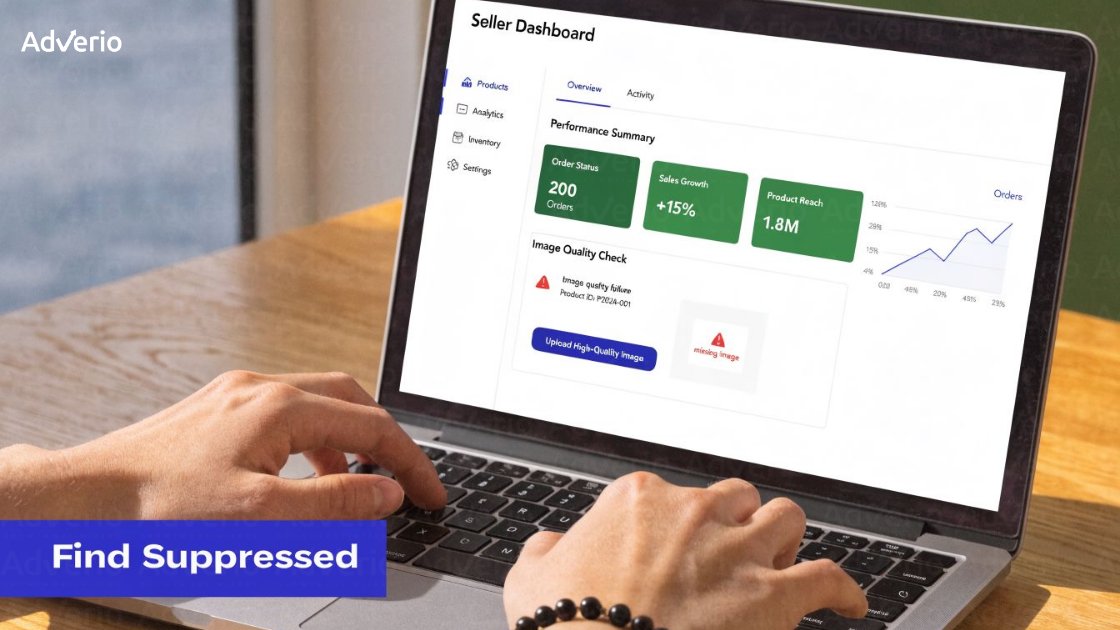
Use a fixed review order and keep it daily:
-
Manage All Inventory
Filter by Suppressed first. This is the fastest way to see what is already blocked from selling. -
Fix Your Products
Review issues by type so your team can clear batches of image failures, missing attributes, or policy-related defects faster. -
Listing Quality Dashboard
Check warning states and incomplete content signals before Amazon turns a weak listing into an inactive one. -
Inactive ASIN review
Pull a report of any ASIN that went inactive without an intentional pricing, compliance, or content change from your team. Treat unexplained inactivity like a live revenue incident. -
Cross-check stranded inventory
A suppressed listing often leaves sellable units sitting idle in FBA. That means you are paying storage fees while search rank decays.
This cannot be memory-based or whoever-has-time work.
Build a daily exception report that flags suppressed, inactive, and stranded ASINs in one view, then assign an owner and resolution deadline to every case. That is how you stop a minor catalog error from turning into a week of lost sales and a month of ranking recovery. If you need a tighter audit process, Adverio listing optimization expertise helps teams find the weak points before Amazon suppresses the ASIN.
How to Fix Each Suppression Type
Suppressions create two losses at once. You lose sales today, and you hand search rank to competitors while the ASIN sits broken. Every hour you wait adds recovery debt.
| Amazon Suppression Fix Reference | |||
|---|---|---|---|
| Suppression Type | Common Root Cause | Fix Method | Expected Resolution Time |
| Missing required attribute | Incomplete category fields or invalid product data | Update the missing fields in Seller Central or submit a corrected flat file, then verify the change in upload status | Many basic catalog fixes clear within the same day if the data is valid |
| Policy violation flag | Prohibited claims, restricted content, missing compliance support | Remove the violating language or asset first, then submit a clear plan of action if Amazon requires an appeal | Usually depends on manual review and category sensitivity |
| Pricing error | Price outside Amazon’s expected range or missing floor and ceiling controls | Reset the price, check min and max rules, and confirm no automation is forcing the bad value back in | Often clears after the next pricing and catalog refresh |
| Image quality failure | Main image violates image rules or the image failed to reprocess correctly | Upload a compliant image, use a new filename, and confirm the main image meets Amazon standards | Often resolves after image processing if no second issue is attached |
| Hazmat or dangerous goods flag | Classification error or missing compliance documents | Confirm the product classification and submit the requested documentation through the correct compliance workflow | Depends on hazmat review queue and document quality |
| Adult content or restricted category flag | Sensitive keywords, imagery, browse node mismatch, or metadata trigger | Correct the category, remove triggering terms or images, and provide supporting documentation if Amazon requests it | Depends on whether the case is automated or manually reviewed |
Treat non-editable suppressions like account health incidents, not routine content cleanup. Weak appeals waste time, extend downtime, and make the ASIN harder to recover because rank keeps slipping while the case sits open. Your plan of action should answer three points without fluff: root cause, corrective action already completed, and the control you added to stop a repeat issue.
A few fixes deserve stricter handling:
-
Missing attributes: Pull the category template before editing. Random field updates inside Seller Central create version-control problems across parent-child families.
-
Policy flags: Remove risky copy from every affected field, including A+ Content, image text, backend keywords, and variation children. One missed claim can keep the ASIN suppressed.
-
Pricing errors: Check repricers, promos, coupons, and marketplace-specific rules. Bad automation often re-triggers the same suppression after you “fix” it once.
-
Image failures: Review pixel size, pure white background, product fill, text overlays, badges, and collage elements. Image suppressions are usually operator error, not an Amazon mystery.
-
Hazmat and restricted category issues: Submit the exact document Amazon asked for. Extra files slow review.
If your catalog team keeps fixing the same classes of errors, the problem is not the ASIN. The problem is your process. Use a repeatable workflow to fix my Amazon listings at the source, and use a repeatable workflow to fix listing issues at the catalog level rather than patching ASINs one at a time.
How to Build a Suppression Prevention System
Suppression recovery costs more than prevention. The sales loss is obvious. The ranking debt is not.
Build your prevention system around ownership, audits, and guardrails.
Large catalogs with complex parent-child structures need this integrated into Amazon catalog management from day one, not retrofitted after a suppression cluster hits.
Daily ownership
Assign one person to review suppression signals every day and escalate issues the same day. Do not leave catalog health as a side task for whoever has time. If nobody owns it, suppressions sit longer, revenue leaks longer, and rank drops further.
This role can sit in-house, with a VA, or with an agency partner. What matters is clear accountability and a defined response window. If you need outside support to manage my Amazon Account, make suppression monitoring part of the scope, not an occasional cleanup project.
Scheduled template audits
Review category templates on a fixed schedule. Amazon changes required attributes, accepted values, and category rules. A catalog that looked clean last quarter can move into warning status without any obvious operational mistake.
Audit parent-child relationships, required fields, hidden backend attributes, and marketplace-specific requirements. Large catalogs need this documented in a change log so your team can trace what changed, when it changed, and which ASINs were affected.
Price guardrails
Set floor and ceiling rules for every priority ASIN. Then check the automations tied to those rules. Repricers, promo tools, coupons, and international pricing logic create preventable suppressions when nobody reviews the full pricing stack.
Price errors are not harmless listing glitches. They shut off conversion, trigger suppression, and leave your best ASINs trying to regain rank after the listing comes back.
Cross-marketplace controls
Brands selling across multiple marketplaces need centralized visibility. A fix in the US does not guarantee the same ASIN is clean in CA, EU, or other regions. Treat marketplace health as one operating system with local rule sets, not as separate cleanups handled one by one.
The goal is simple. Catch issues before Amazon suppresses the listing, fix root causes before they spread across the catalog, and protect the rank you already paid to build.
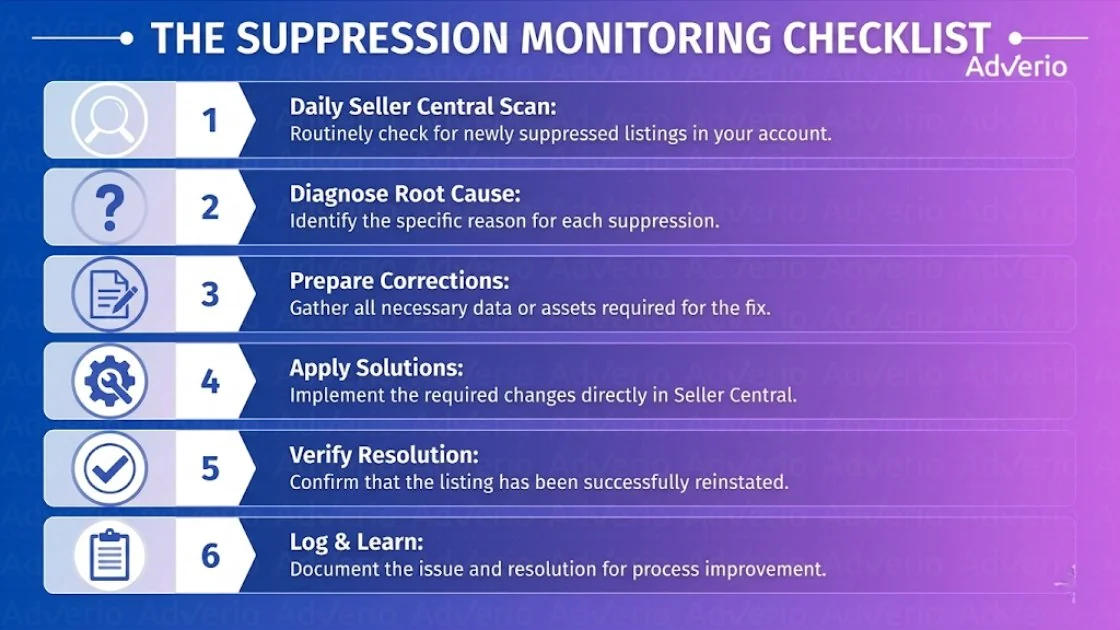
The Suppression Monitoring Checklist
Hand this to whoever owns catalog health and establish it as a firm requirement.
-
Check Manage All Inventory daily for new suppressed ASINs
-
Review Fix Your Products and group issues by root cause
-
Scan Listing Quality Dashboard for warning states
-
Match suppressed ASINs against stranded inventory so stock doesn’t sit unnoticed
-
Review hero ASIN performance daily and investigate unexplained drops fast
-
Log the cause and fix so the same error doesn’t keep repeating
How Adverio Manages Suppression Risk
Suppressions create two costs at once. You lose sales today, and you lose search position that takes time and ad spend to win back.
For Adverio clients, suppression control is built directly into our Amazon account management system. We check suppression status daily, prioritize hero ASINs the same day they fail, and use AMOS to spot catalog-level patterns before one bad edit turns into a wider visibility loss.
That matters even more for international accounts. A fix in the US often does not clear Canada or Europe, so one issue can keep draining revenue across multiple marketplaces after your team assumes the problem is closed. With Amazon’s planned unified catalog push in 2026, we project cross-market flags could increase materially, which makes slow manual cleanup even more expensive.
AMOS helps us identify shared root causes, push cleaner flat-file corrections across marketplaces, and reduce the time suppressed ASINs sit invisible. That cuts the immediate sales hit. It also limits the ranking debt that starts building the longer a listing stays down.
If your catalog has recurring suppressions, treat that as a margin problem, not a support ticket.
Frequently Asked Questions
What’s the difference between suppressed and inactive?
A suppressed listing usually has a compliance, attribute, image, pricing, or policy issue that removes visibility. An inactive listing can be inactive for other reasons, including inventory status or intentional changes. Don’t assume they’re the same thing.
Can a suppressed listing still create inventory problems?
Yes. If inventory is still sitting in FBA while the listing is suppressed, you’ve got a sales problem and an operational problem at the same time. That’s why stranded inventory checks belong in the same workflow.
Should I fix suppressions one by one or in bulk?
If you have a large catalog, bulk whenever possible. Reports and flat files are faster, cleaner, and less error-prone than opening hundreds of ASINs manually.
What if my edit is correct but the listing is still suppressed?
That usually points to a non-editable issue, catalog contribution conflict, or review queue delay. Recheck Product Summary, confirm your changes stuck, and submit a specific POA if the listing doesn’t clear.
Do global marketplaces clear automatically after a US fix?
No. Cross-market sync can lag or fail. If you sell internationally, verify each marketplace directly after the US issue is resolved.
Can suppression affect my ad campaigns?
Yes. A suppressed ASIN will stop serving ads or deliver impressions with no conversion path. Check suppression status any time an active campaign suddenly drops in performance without a bid or budget change.
Suppressed listings are a margin problem with a fix date. If you want to see the dollar impact of cleaning this up at the account level, book your ROI Forecast and we will map the recovery path, Book Your ROI Forecast →
Read Next
References
-
SupplyKick on why Amazon listings get suppressed and how to fix them
-
AmazonBacker on fixing suppressed listings and POA success rates
-
Emplicit on fixing Amazon listing suppression issues and multi-market workflows