
How to Download UPS Invoices for a Carrier Rate Audit | Adverio

UPS logo

How to Download Your UPS Invoices

Before Adverio can audit your UPS rates and identify where you are overpaying, we need 1 to 3 months of invoice data from your account. This is the starting point for every carrier contract negotiation we run.

The process takes under 10 minutes. Here is exactly how to do it.

Under 10 minutes

Quick Answer

To download UPS invoices: log in to ups.com, go to My Account and select "View and Pay Bill," click "My Invoices" in the sidebar, check the invoices you need, hit "Download Selected Invoices," choose "CSV: Full (250 Columns)" and download. Rename the file to YourCompanyName_DateRange before sending.

What Is a UPS Invoice File?

A UPS invoice is a detailed billing record of every shipment charged to your account in a given period. The CSV: Full format includes up to 250 data columns covering base rates, accessorial charges, fuel surcharges, zone classifications, and dimensional weight calculations. This is the data an audit needs to identify overcharges and benchmark your rates against the market.

6 Steps to Download Your UPS Invoices

Follow these steps after logging in to your UPS account at ups.com.

Go to "View and Pay Bill"

Open your account menu in the top right corner of the UPS homepage. From the dropdown, select "View and Pay Bill." This takes you into the UPS Billing Center.

Tip: You need to be logged in as an account administrator or have billing access on your UPS account. If you see a permissions error, contact your account admin.
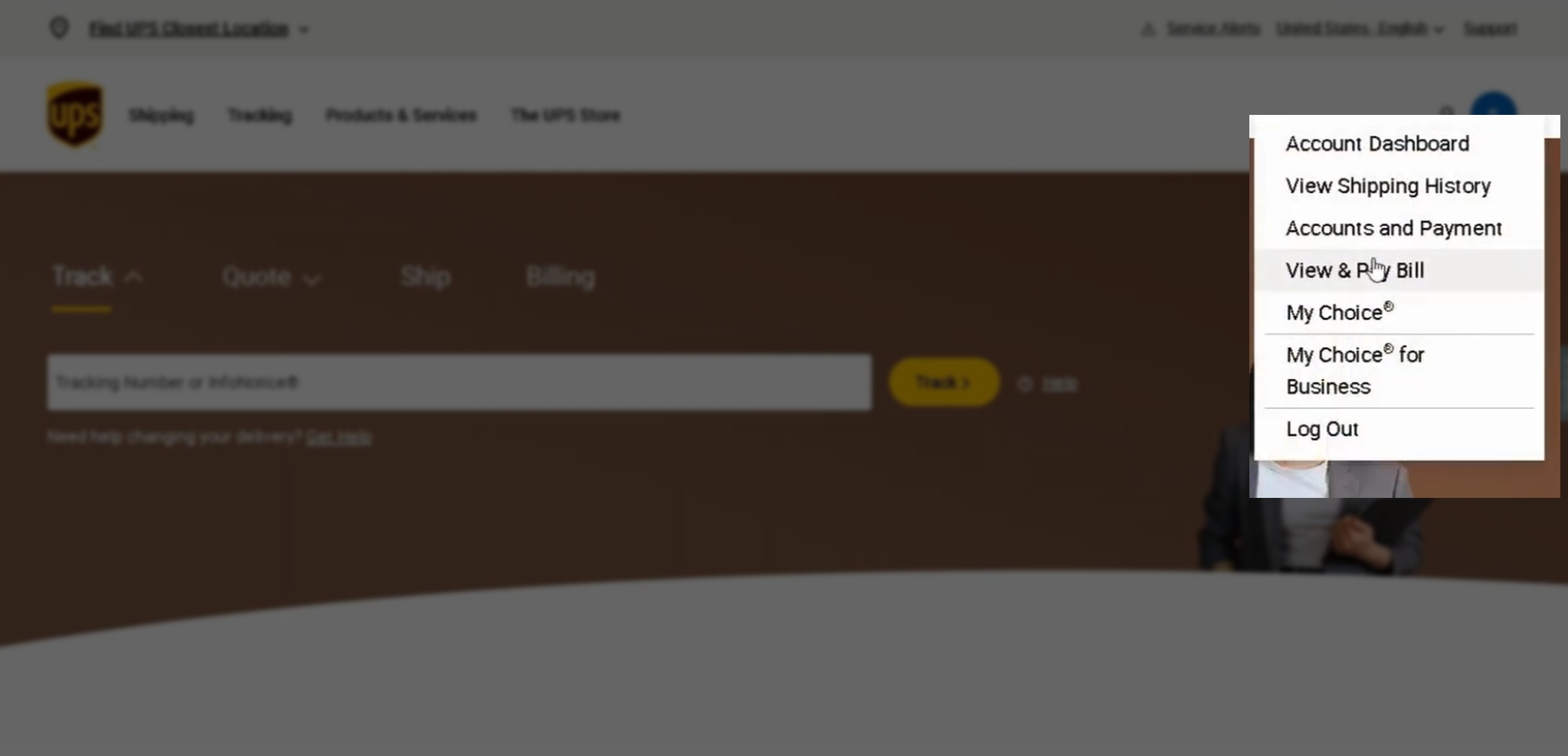
UPS account menu showing the View and Pay Bill option

Click "My Invoices" in the Sidebar

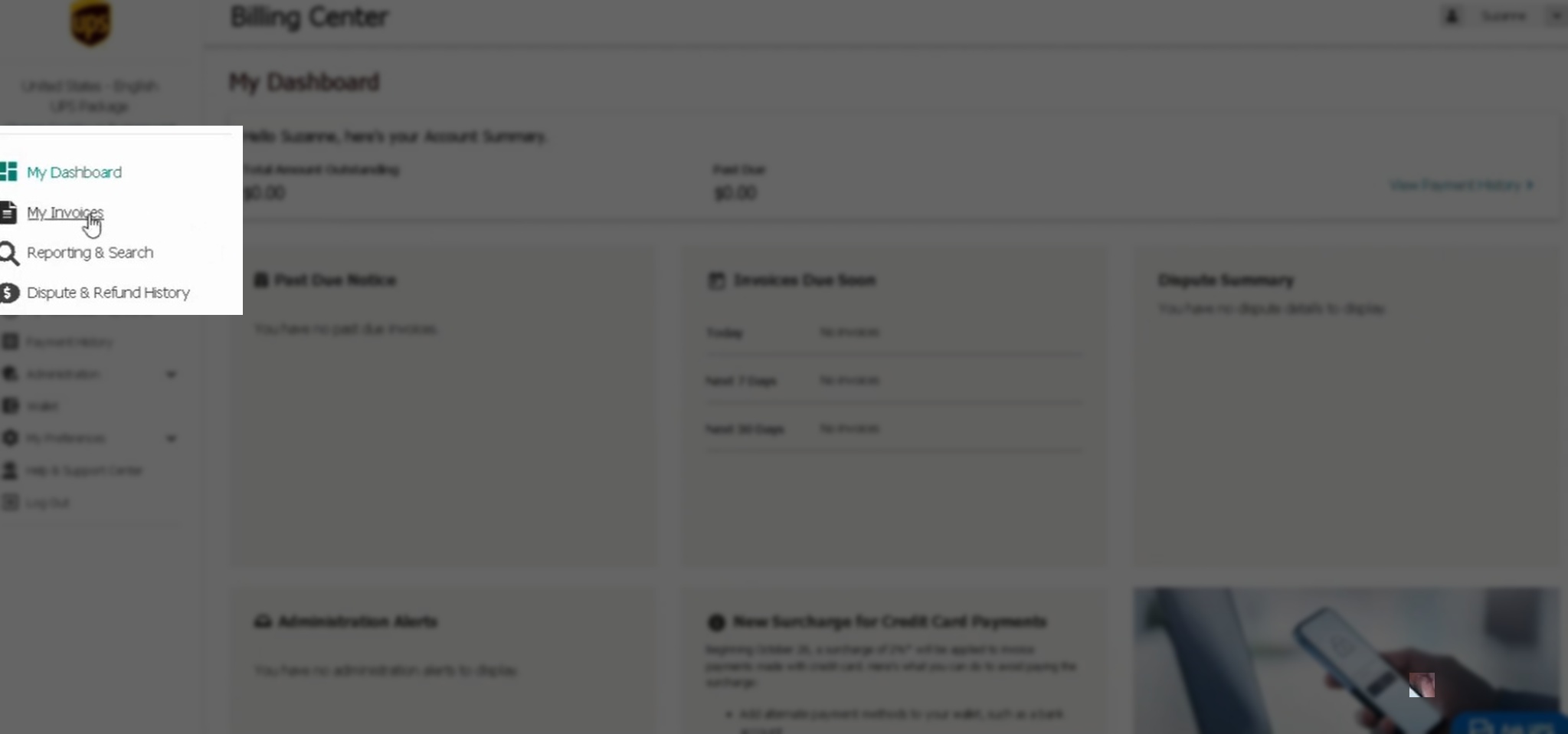
Once inside the Billing Center, look at the left sidebar menu. Click "My Invoices." This pulls up a list of all invoices on your account, sorted by date.

UPS Billing Center sidebar with the My Invoices option highlighted

Select the Invoices You Need

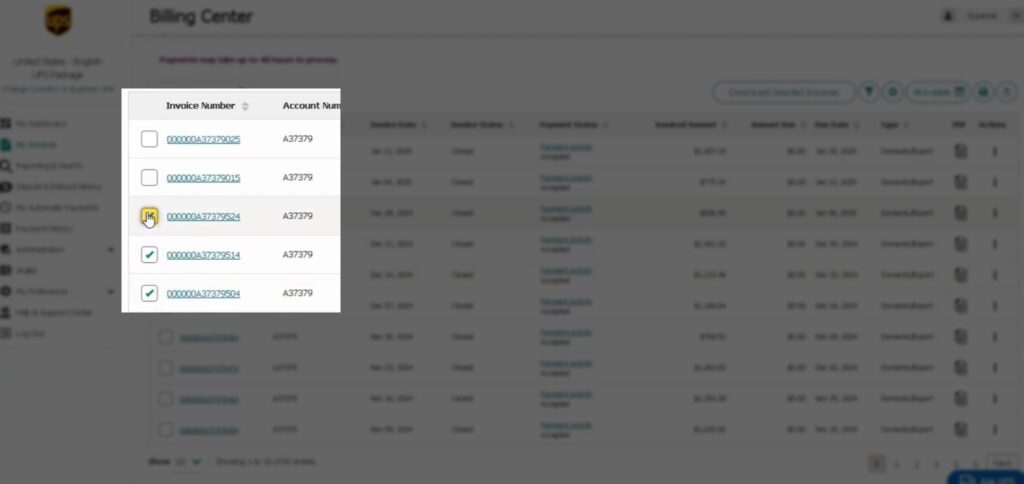
Use the checkboxes on the left of each row to select the invoices you want to download. For an Adverio carrier audit, we need 3 months of recent invoices.

One thing to know: UPS limits downloads to 10 invoices at a time. If you need more than 10, run the download process in batches.
UPS invoice list with checkboxes for selecting invoices

Hit "Download Selected Invoices"

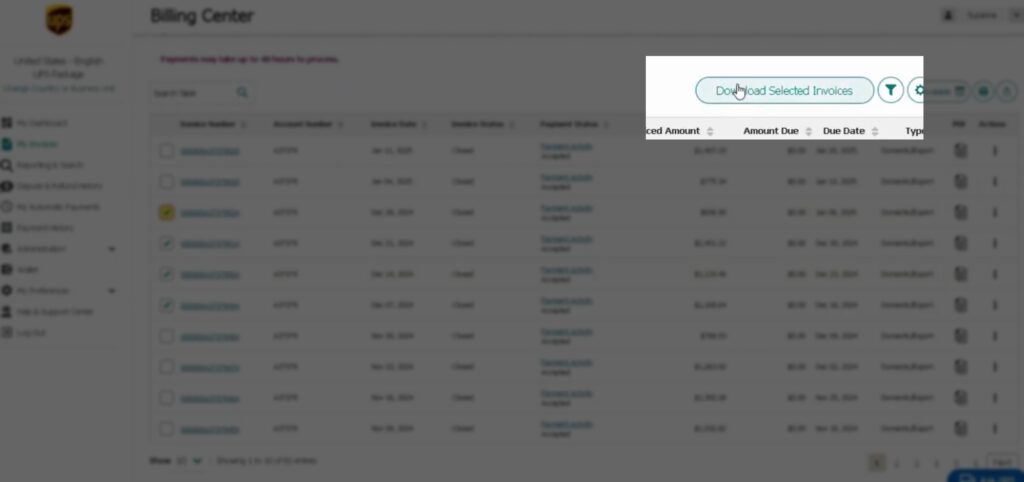
Once you have checked the invoices you need, click the "Download Selected Invoices" button at the top right of the table. A download options popup will appear.

UPS Download Selected Invoices button at the top right of the invoice table

Choose "CSV: Full (250 Columns)"

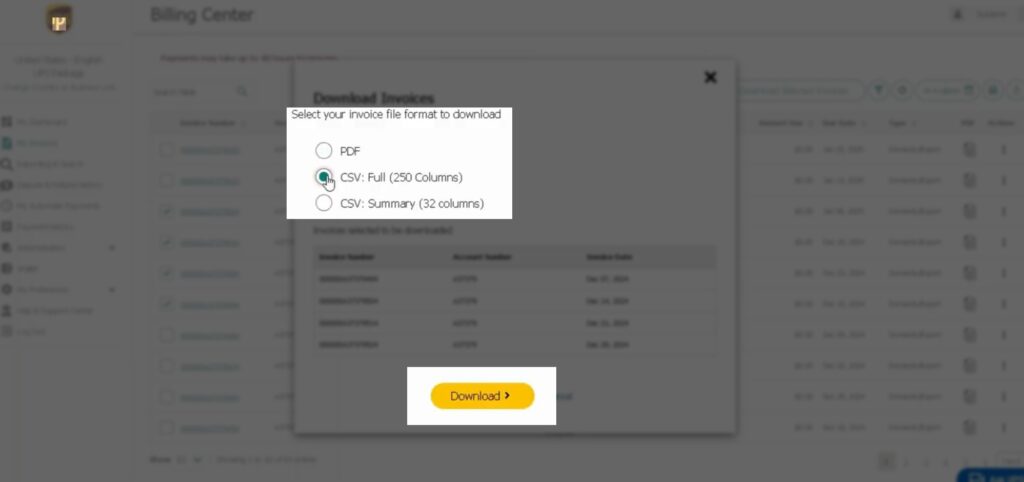
In the popup, select the "CSV: Full (250 Columns)" format. This is important. Other formats strip out the detailed surcharge and accessorial data that an audit needs. The full CSV format captures everything.

Click the download button at the bottom of the popup. The file will save to your Downloads folder.

UPS download format popup with CSV Full 250 Columns option selected

Rename the File Before Sending

Find the downloaded file in your Downloads folder. Rename it using this format: YourCompanyName_DateRange

Example: Acme_Jan2026_Mar2026. This keeps things clean when your account team is reviewing multiple files across carriers.

What Adverio Does With Your Invoice Data

Once you have your UPS invoice files, share them with your Adverio account team along with your current UPS contract. Here is what happens from that point:

Within 48 hours, we run a full benchmarking analysis. Every line item in your invoices gets compared against real market spend data: base rates, fuel surcharges, residential delivery fees, extended area charges, peak season adjustments, and dimensional weight calculations.

You will get a clear picture of exactly where you are overpaying and what a renegotiated contract could realistically recover.

No obligation. No upfront cost. Just the data.

What Shows Up in a UPS Invoice Audit

Most brands focus on the base rate. That is not where the real savings sit.

Charge Type What It Is Typical Impact
Fuel surchargeFloating weekly percentage on every shipmentOften 20 to 30% on top of base rate
Residential delivery feeApplied on every home address delivery15 to 20% per package
Extended area surchargeRural or low-density delivery zones$3 to $15 per package
Peak season adjustmentQ4 and holiday surge pricingUp to 30% uplift
Dimensional weight chargeBillable weight calculated by package sizeAffects every oversized package
Address correction feeApplied when UPS corrects a delivery addressOften above published schedule

A 3-month invoice file exposes all of these patterns at once. Most brands reviewing their invoices for the first time discover charges they did not know existed at rates they have never challenged.

Frequently Asked Questions

1 to 3 months of recent invoices is enough to run a full benchmarking analysis. More data gives us a broader view of seasonal patterns and charge fluctuations, but 1 month is sufficient to start.

Always choose "CSV: Full (250 Columns)." This format captures every charge category including accessorial fees, surcharges, and dimensional weight data. Other formats strip critical columns that the audit needs.

UPS typically displays the most recent 12 months of invoices in the Billing Center. If you need older invoices, contact UPS billing support directly. For most audits, recent months are more useful since they reflect your current contract terms.

No. You just need to download the CSV invoice files and share them with your Adverio account team. No account access is required from our side to run the initial audit.

Download invoices from each account separately and label them clearly by account name and date range. Our team will consolidate the data across accounts in the audit.

Ready to Find Out What You Are Overpaying?

Your UPS invoice data tells a clear story. Most brands do not read it closely enough to see what carriers have quietly built into their billing over time. The audit is free. It takes under 48 hours. And it will show you exactly how much a renegotiated contract is worth.

Get My Free Shipping Audit Already have your invoices? Upload them when you book your free audit and we will have your analysis back within 48 hours.